
Set up fasting
Turn fasting on under “Fasting” in Settings and set your eating window with your first and last meal. The “Fasting” tab then shows how long your fast still runs.
-
On Today, tap the gear at the top, then “Fasting” under “Profile & Goals”.
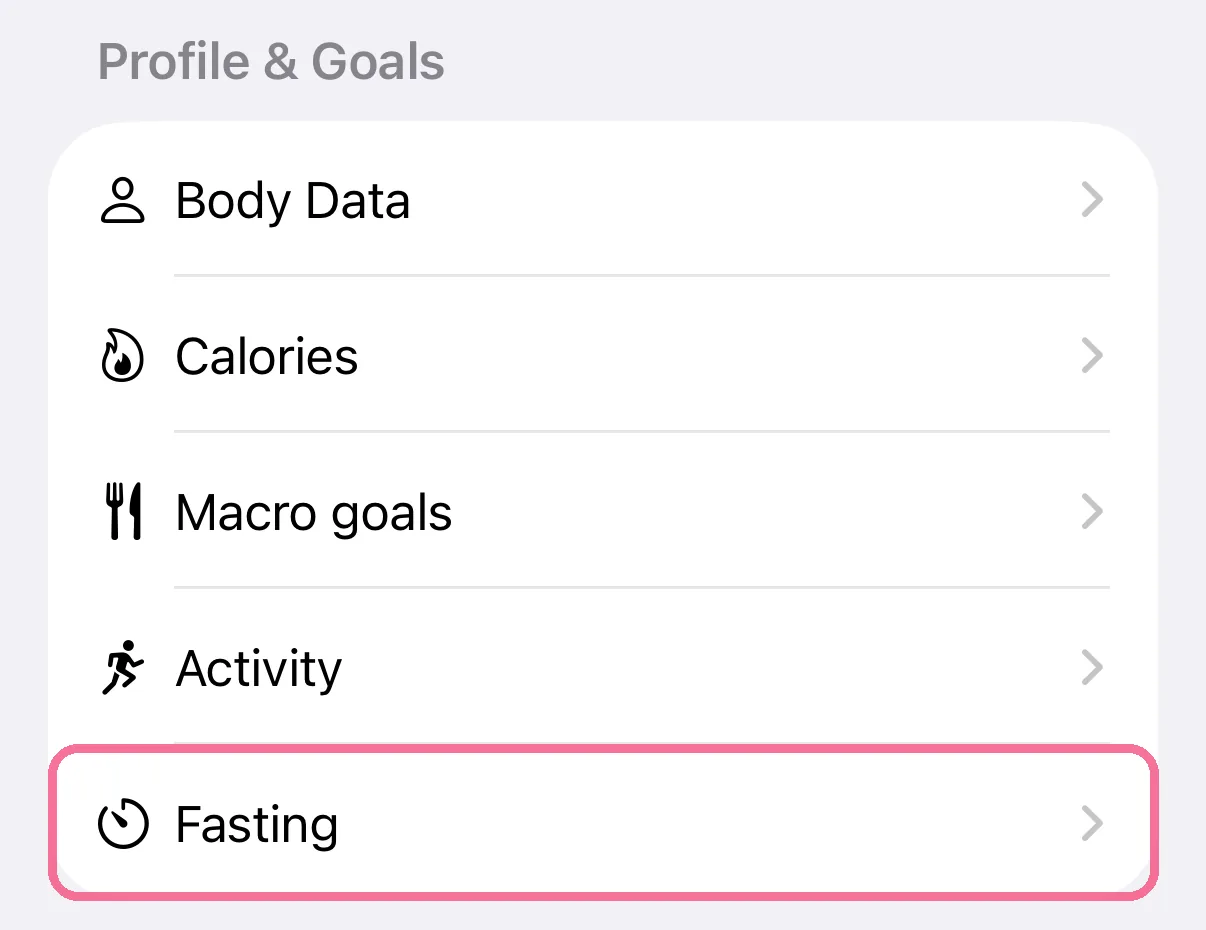
-
Turn on “Enable fasting tab”.
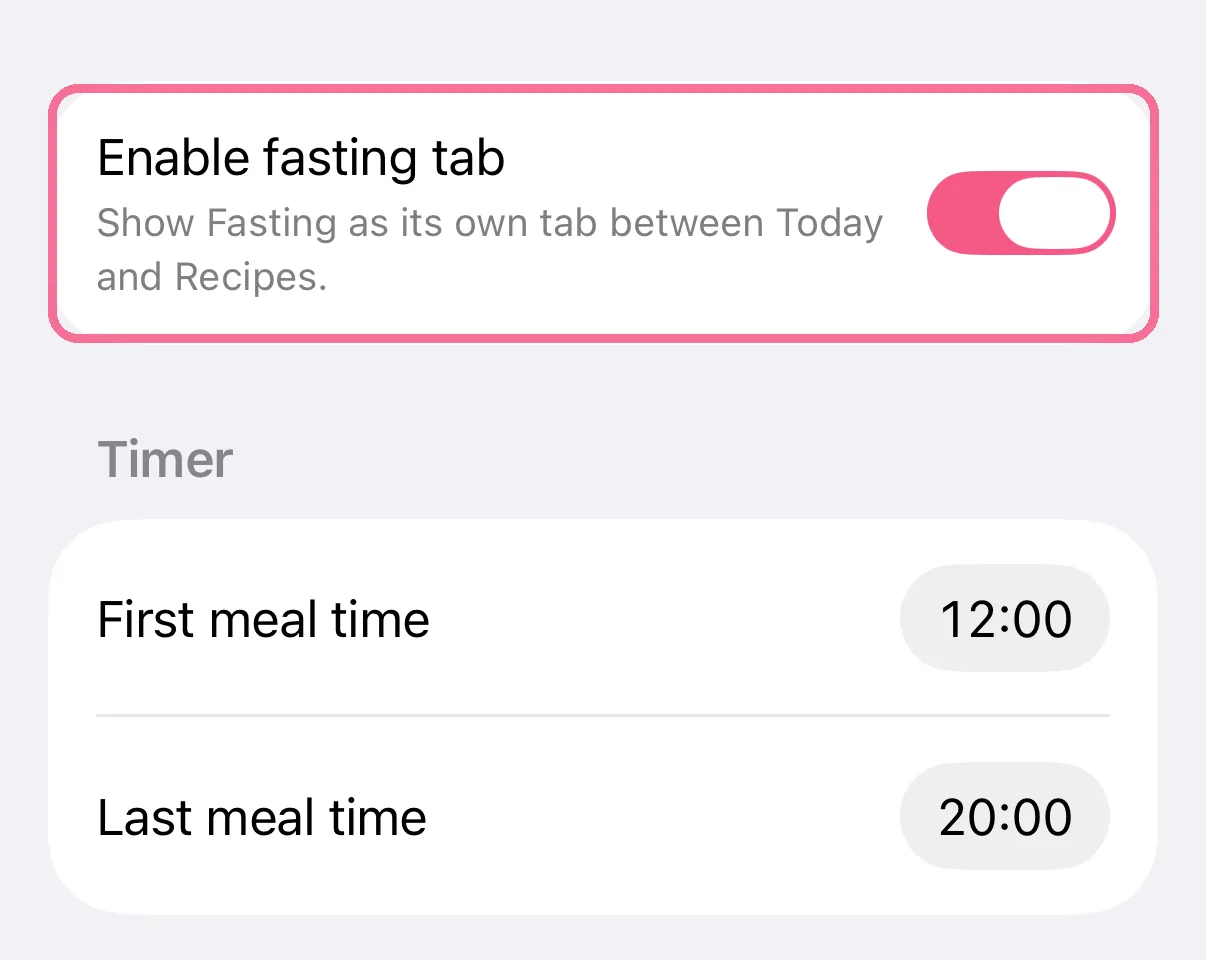
-
Set your eating window with “First meal time” and “Last meal time”.
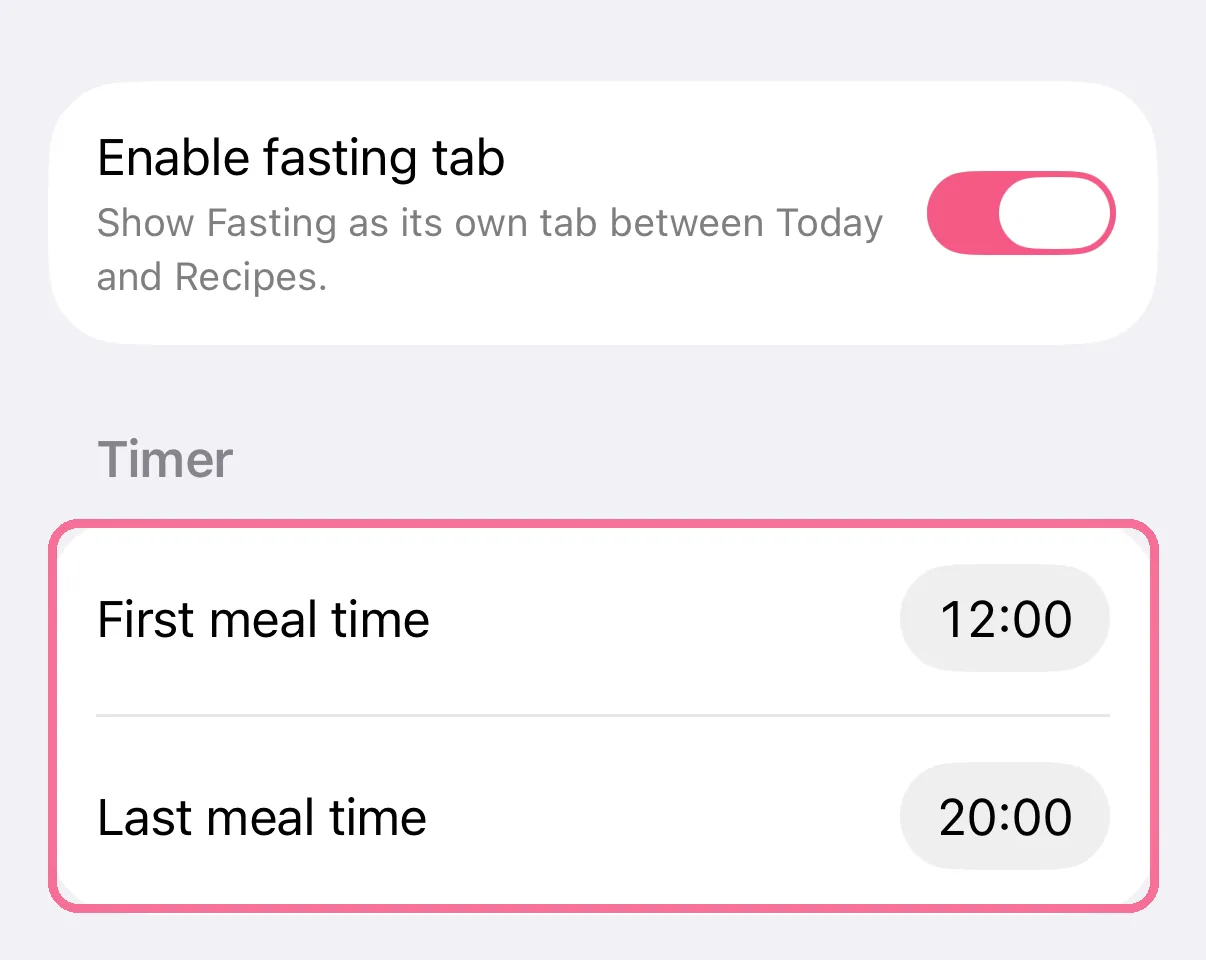
-
The new “Fasting” tab shows whether you are fasting or eating right now, and for how much longer.
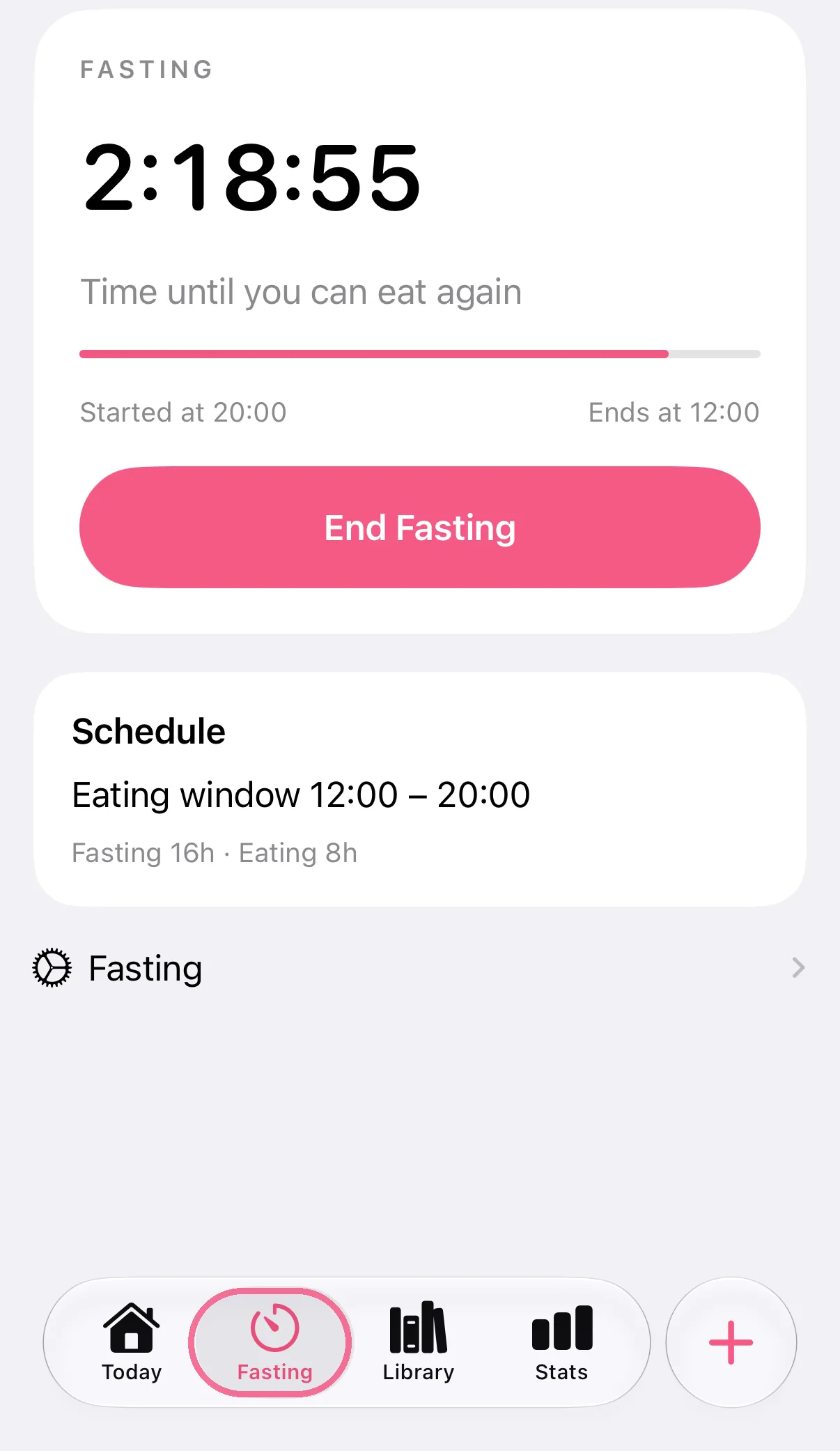
-
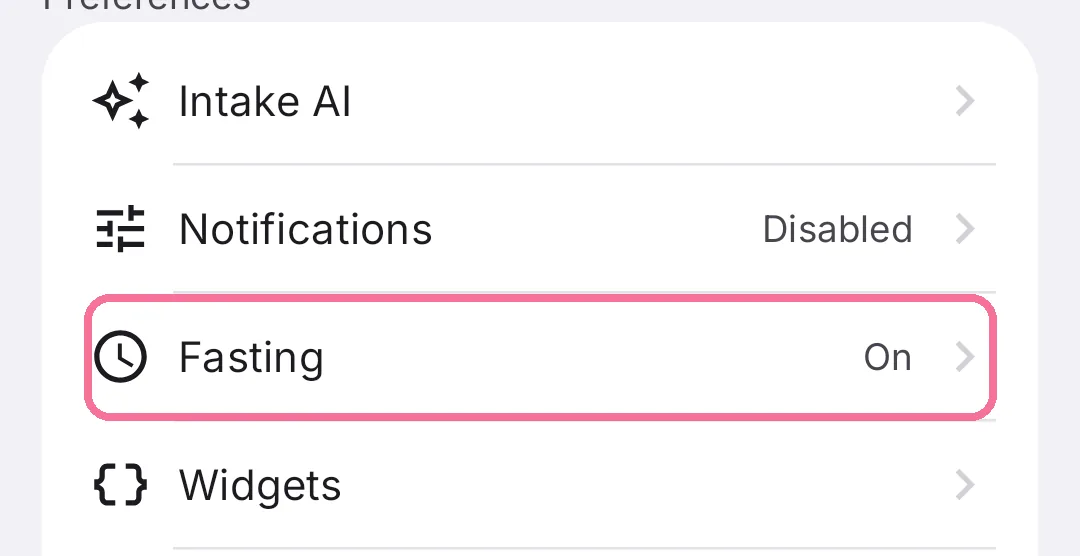
On Today, tap the gear at the top, then “Fasting” under “Preferences”.
-
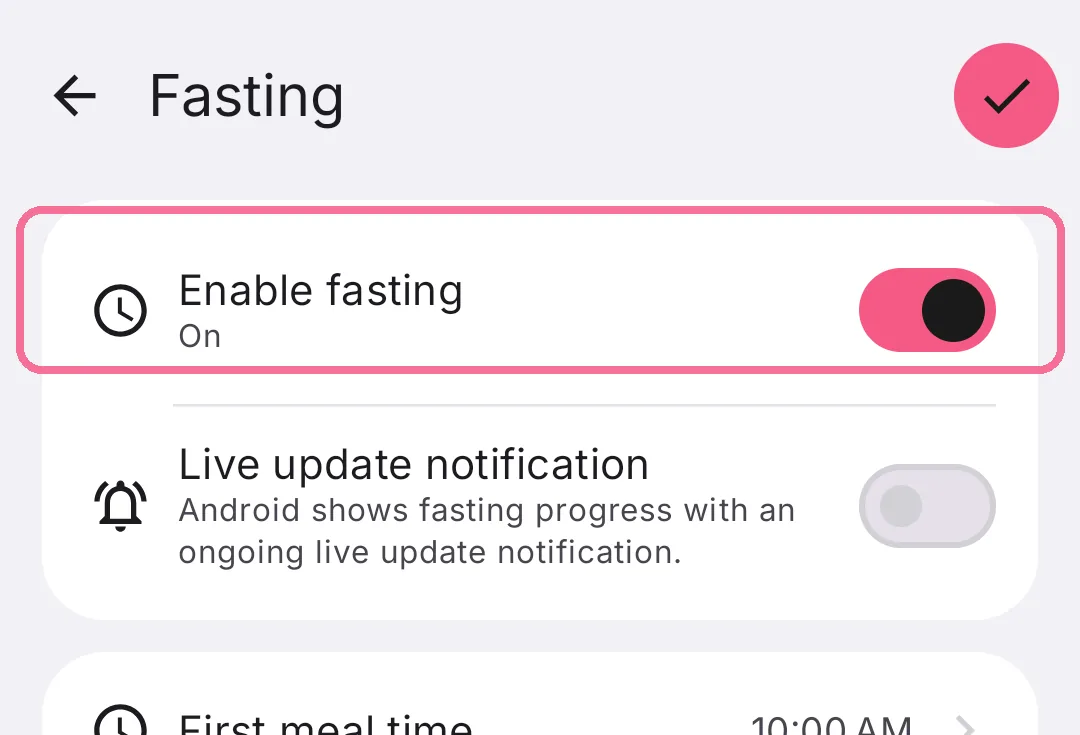
Turn on “Enable fasting”.
-
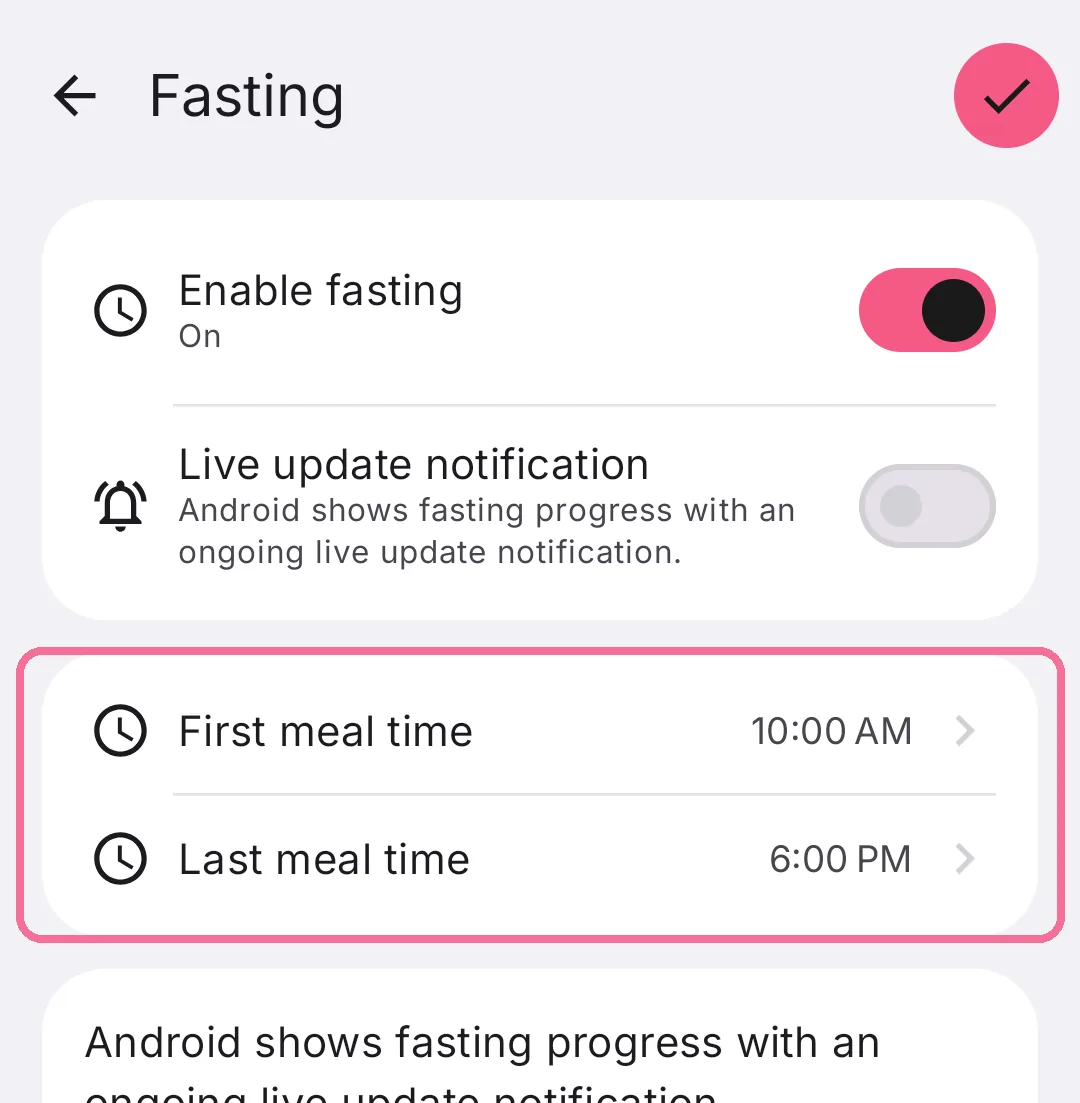
Set your eating window with “First meal time” and “Last meal time” and tap the checkmark at the top right.
-
The new “Fasting” tab shows whether you are fasting or eating right now, and for how much longer.
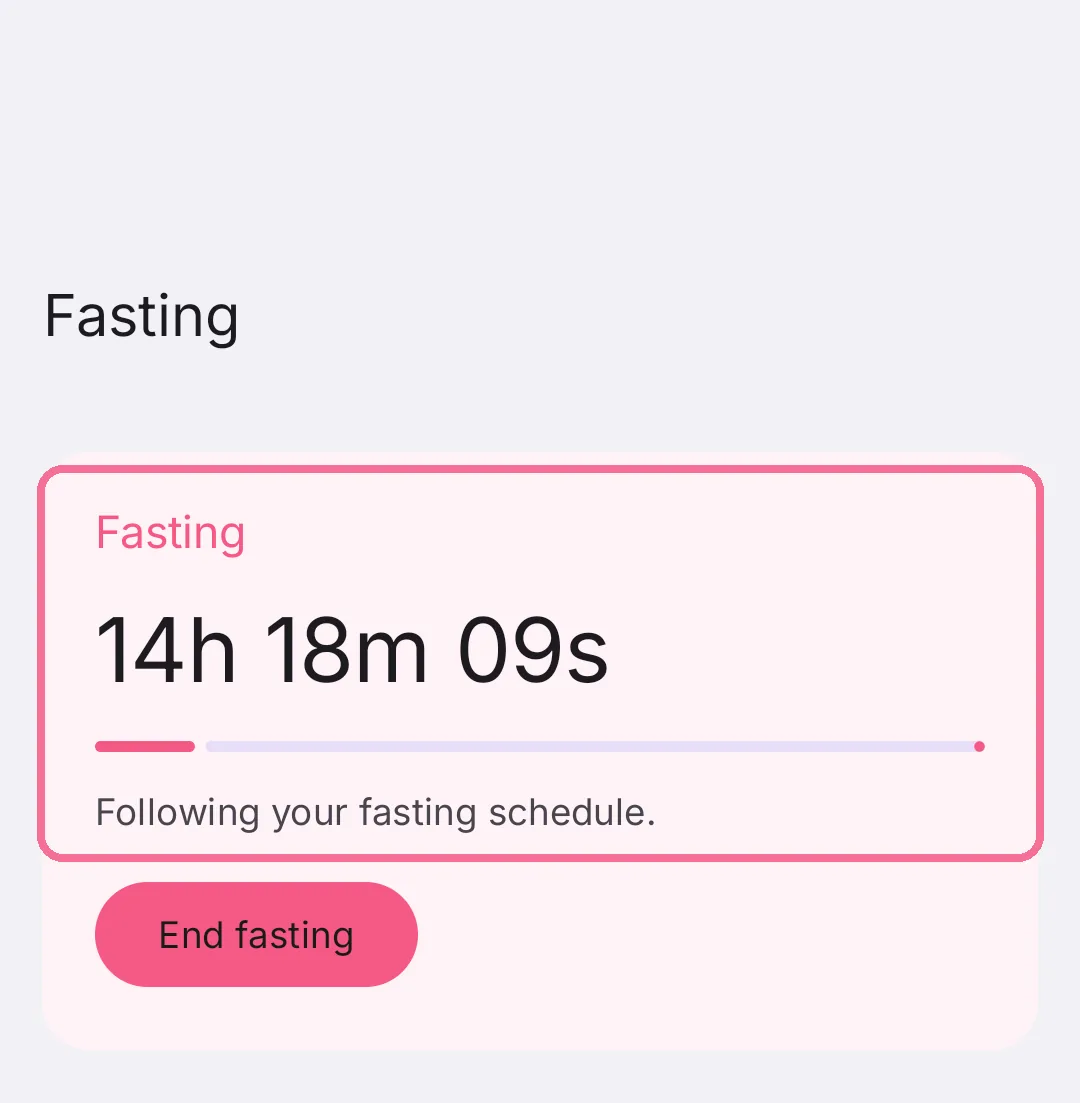
Everything outside your eating window counts as fasting. A window from 12:00 to 20:00, for example, gives you 16 hours of fasting and 8 hours of eating.