
Portions and units
You log in the product’s portions or in a custom amount: grams, millilitres, teaspoons, tablespoons, cups or glasses. If your spoon weighs something else, adjust the weight once.
-
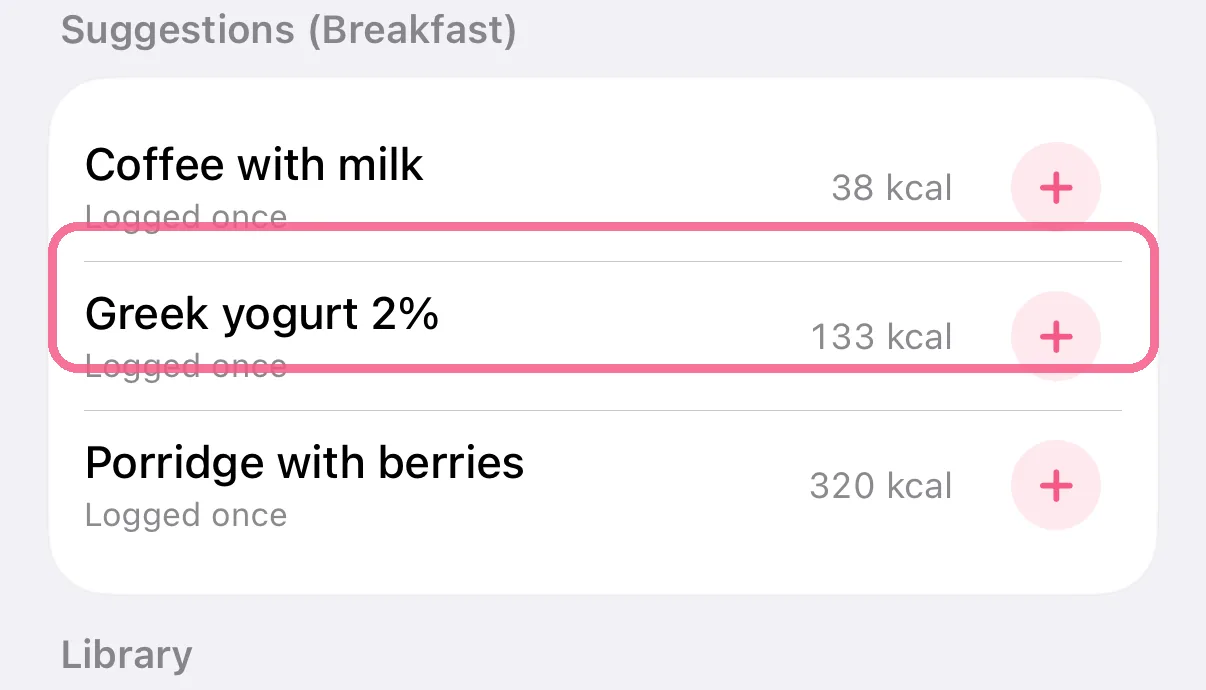
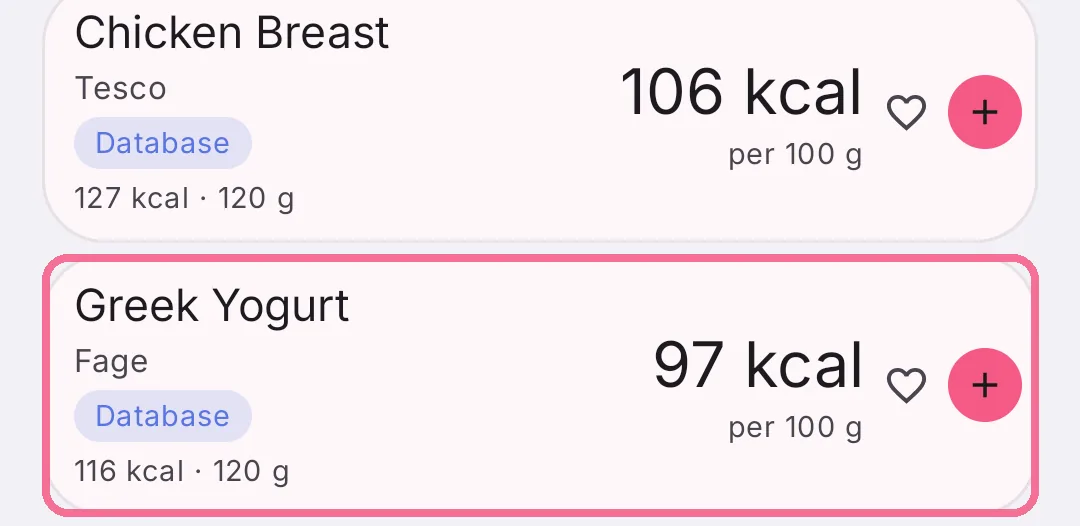
In the search, tap a food.
-
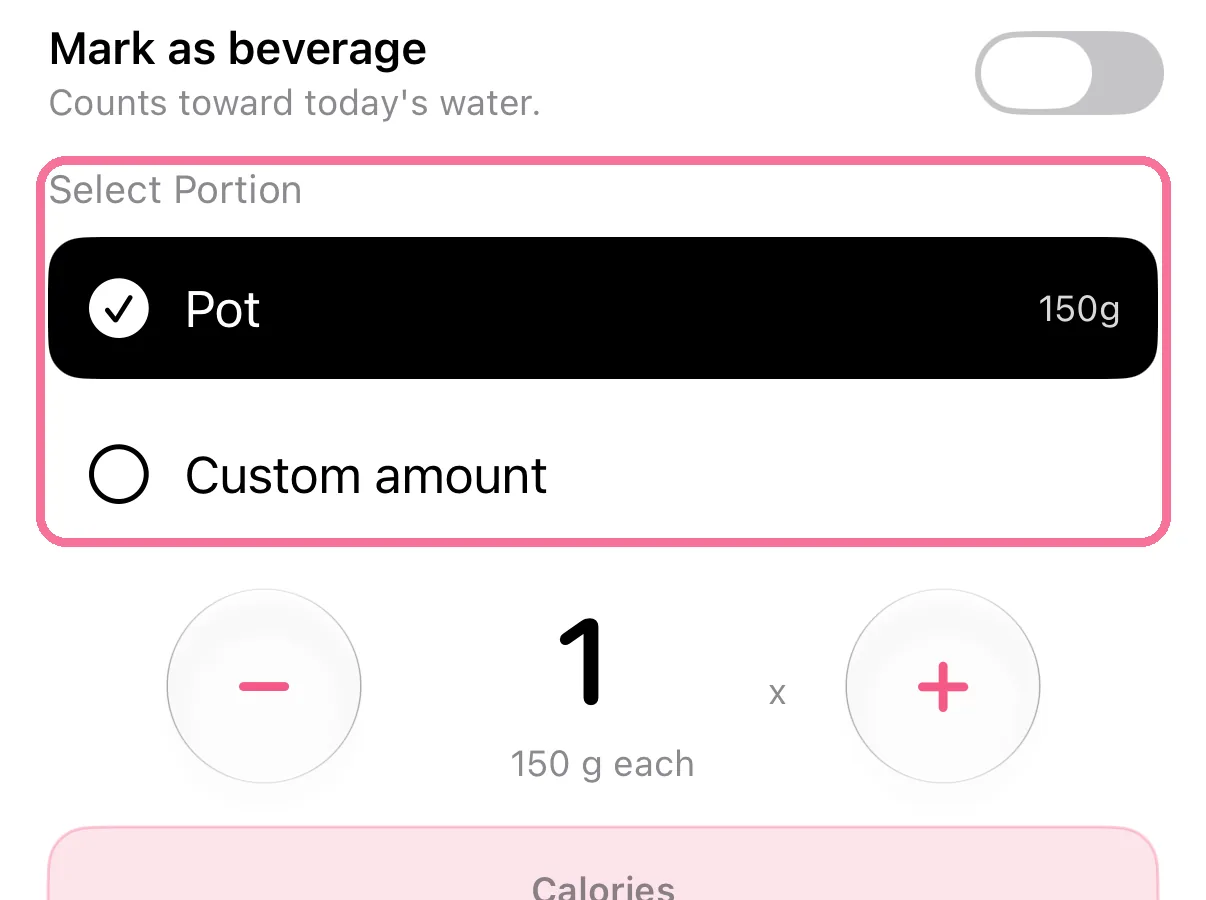
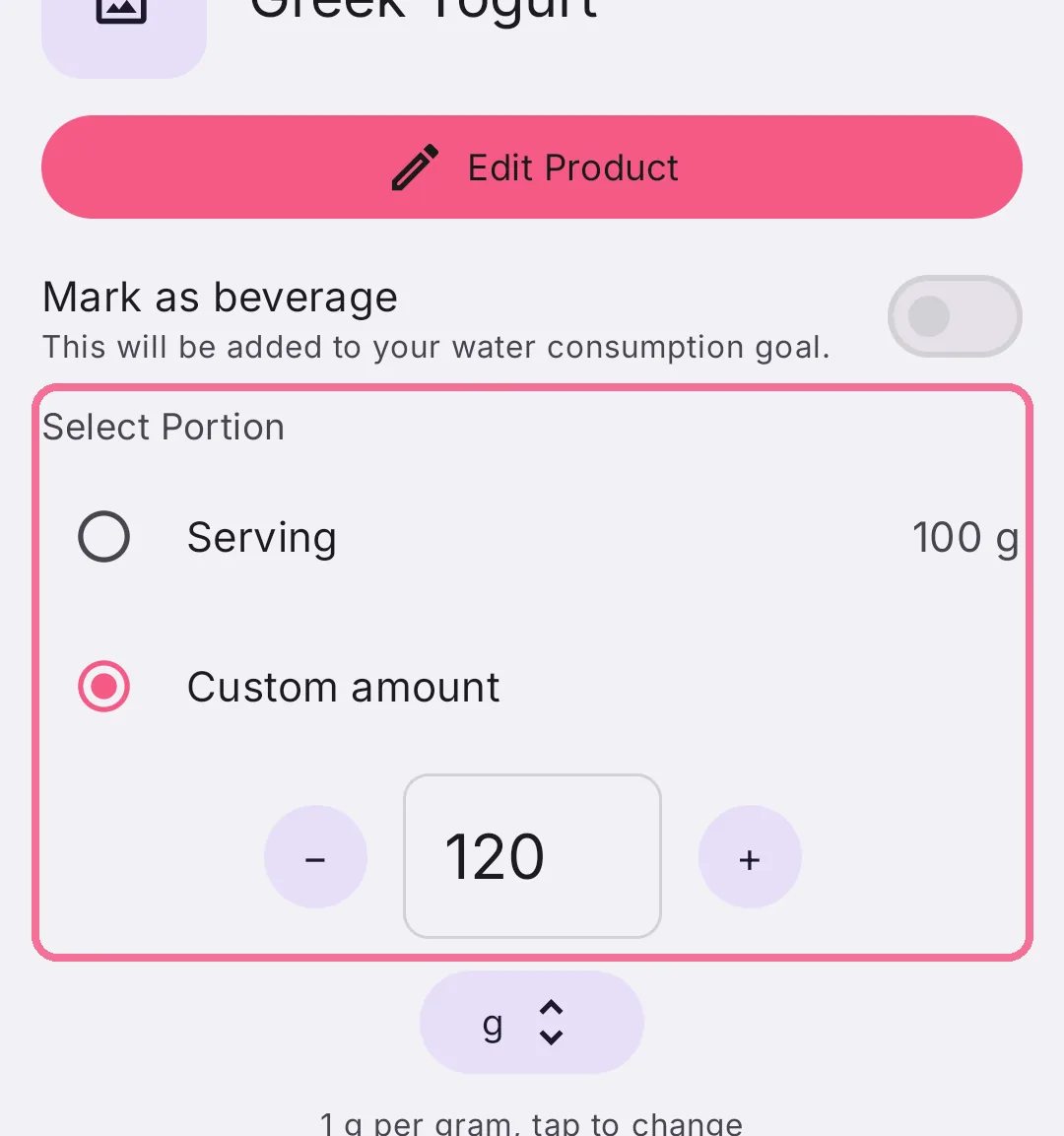
Under “Select Portion”, choose one of the product’s portions or “Custom amount”.
-
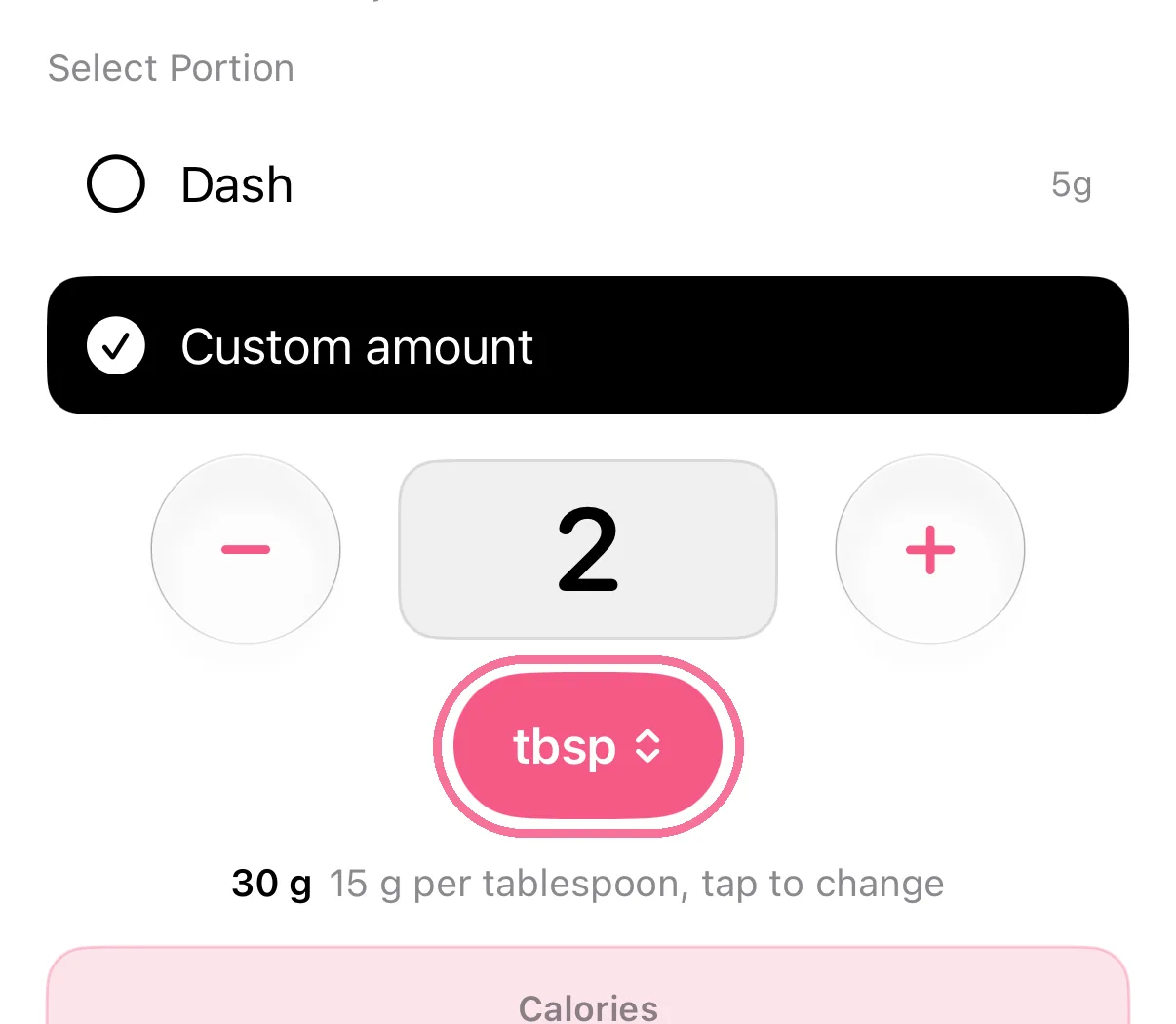
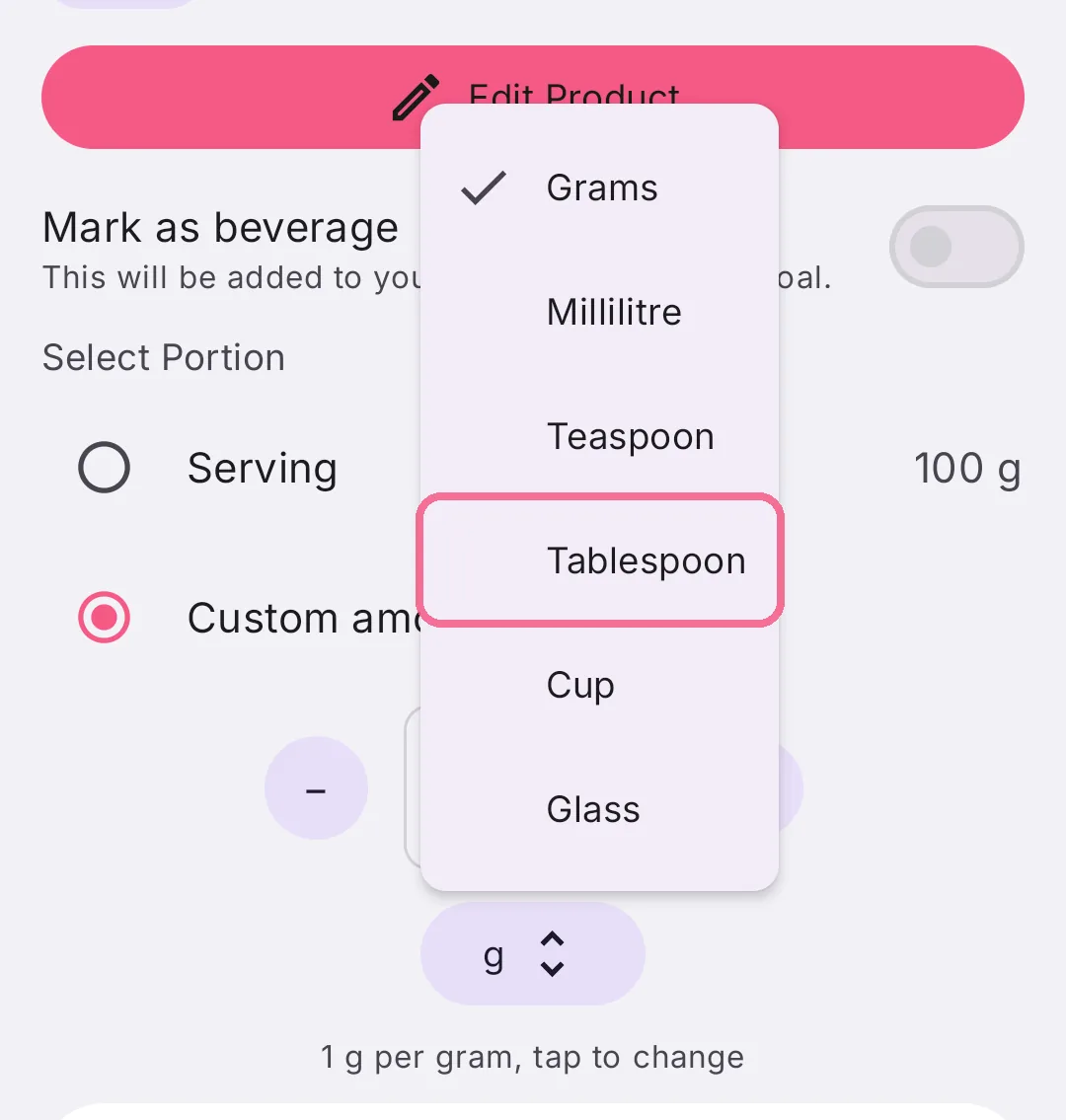
Next to “Custom amount”, tap the unit and pick, for example, Tablespoon or Cup.
-
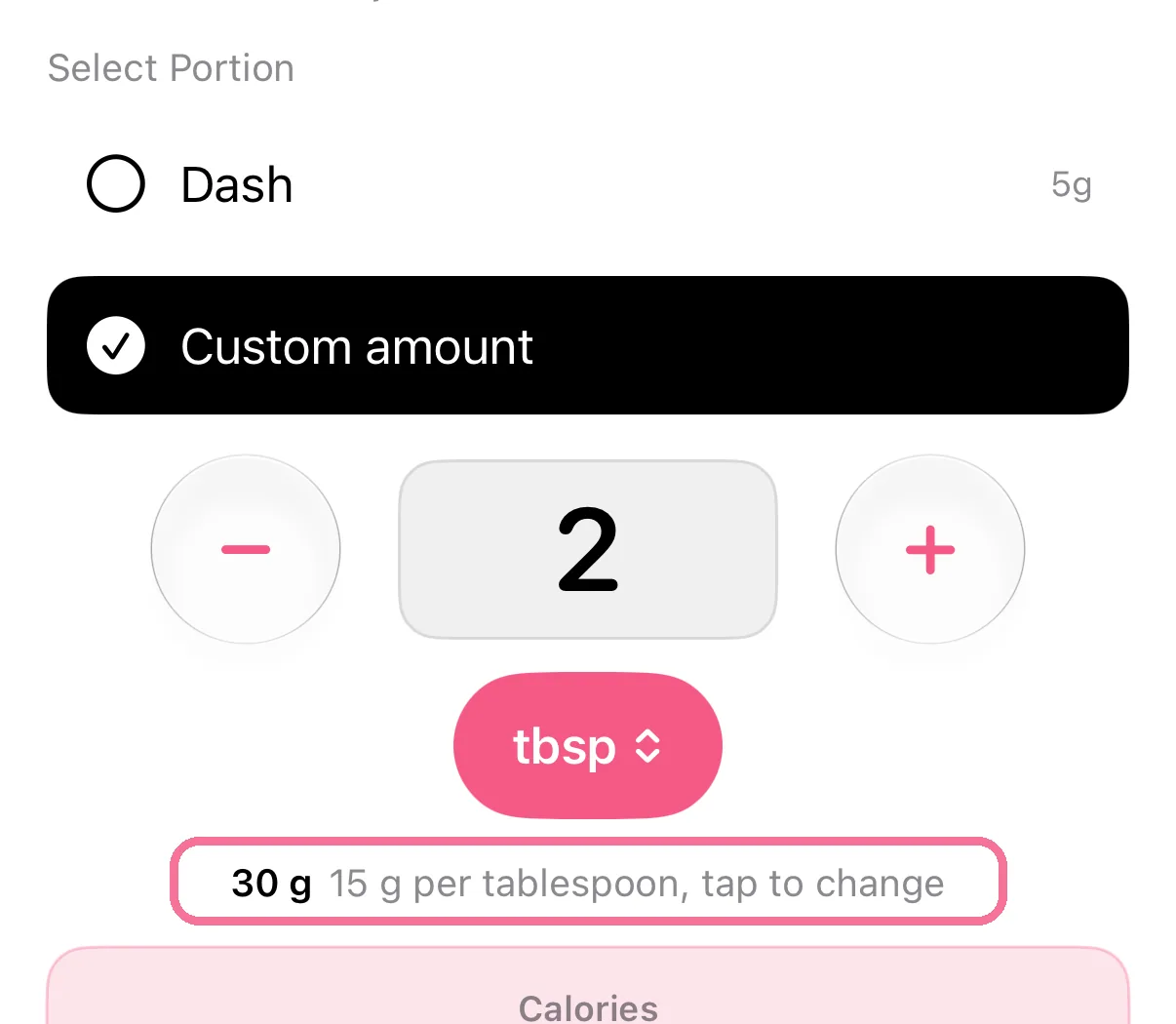
If a unit weighs something else for you, tap the line “… per tablespoon, tap to change” and enter the weight.
-
While adding, tap a food, for example under “Frequent” or in the search.
-
Under “Select Portion”, choose one of the product’s portions or “Custom amount”.
-
Next to “Custom amount”, tap the unit and pick, for example, Tablespoon or Cup.
-
If a unit weighs something else for you, tap the line “… per tablespoon, tap to change” and enter the weight.
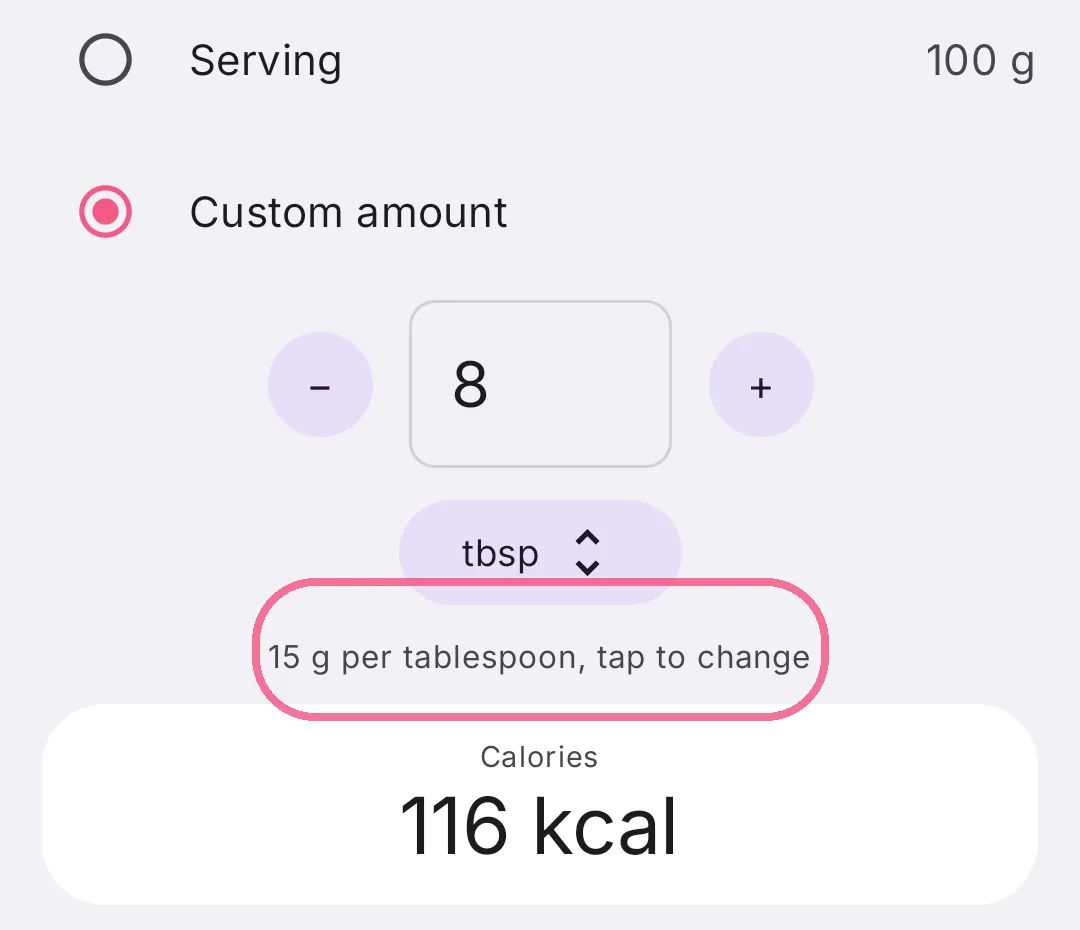
Intake remembers that weight for the food and uses it automatically next time. For drinks you enter the amount in millilitres. Ounces appear when you choose imperial units under Settings > “Region & Units”.
You add your own portion sizes to your own products with “Add portion size”.