
The Calorie Intake card
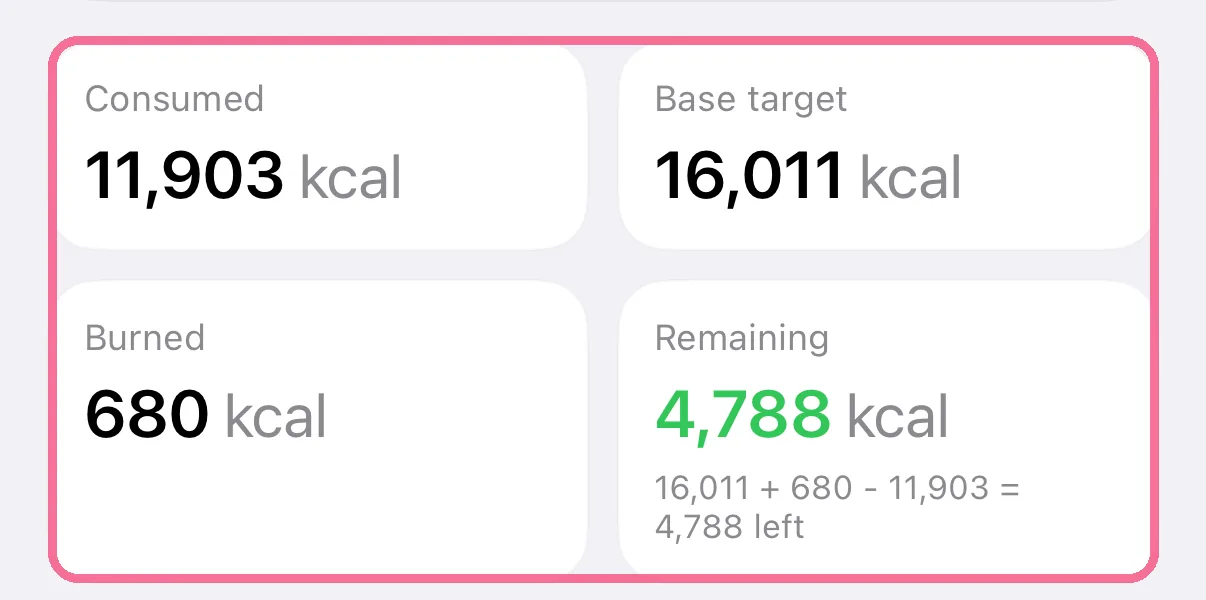
The calorie details do the maths for the period: base target plus calories burned minus calories eaten gives what is left. Below, you compare your daily average with your target.
-
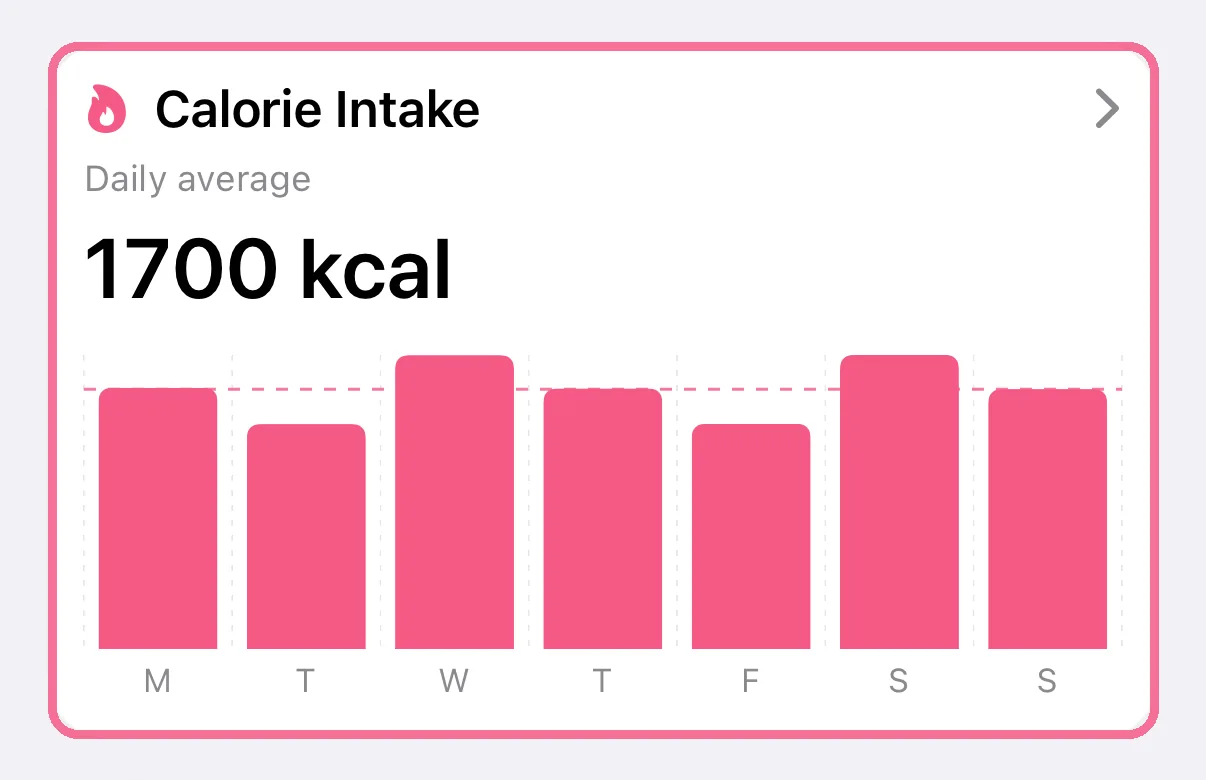
In Stats, tap the “Calorie Intake” card.
-
At the top, “Consumed”, “Base target”, “Burned” and “Remaining” cover the whole period, with the sum.
-
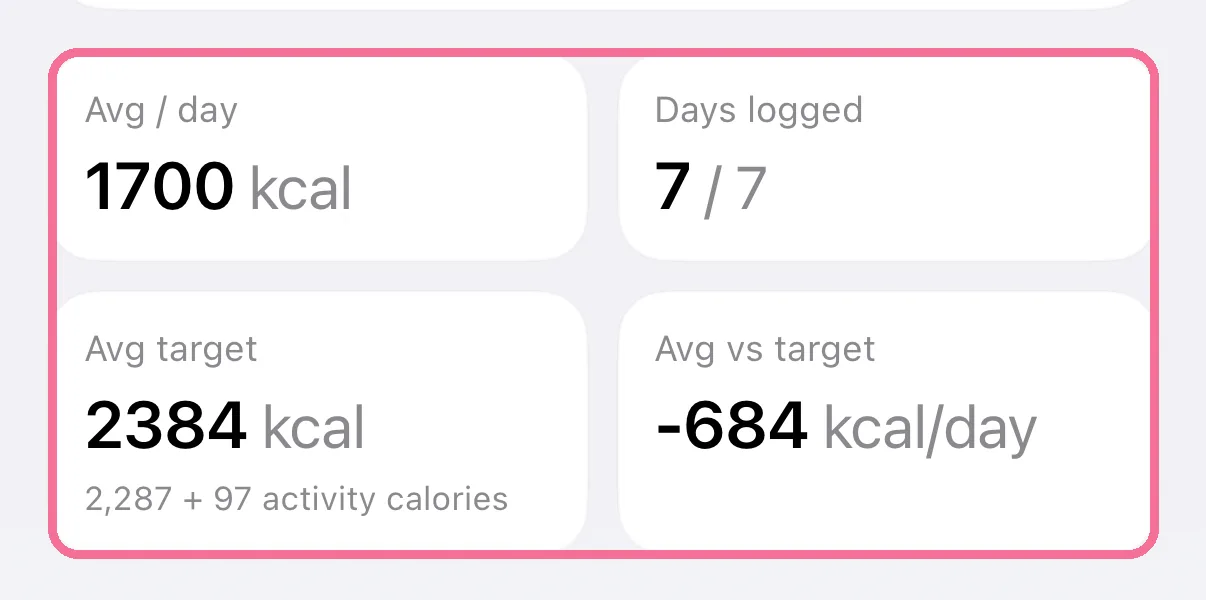
Below the chart, “Avg / day” and “Avg target” compare your daily average with your target. “Avg vs target” shows the difference.
-
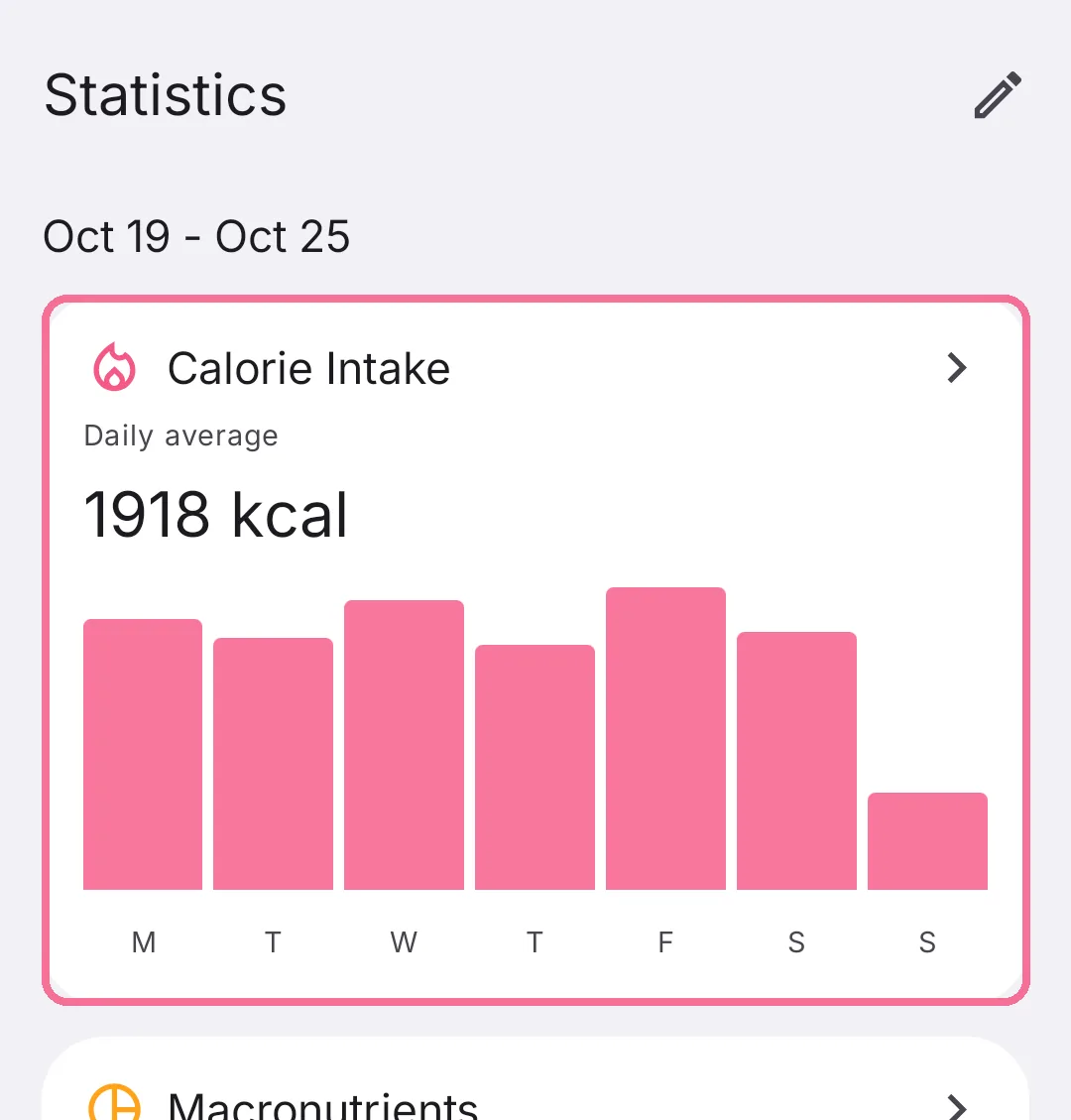
In Stats, tap the “Calorie Intake” card.
-
At the top you see consumed, base target, burned and remaining for the whole period, with the sum.
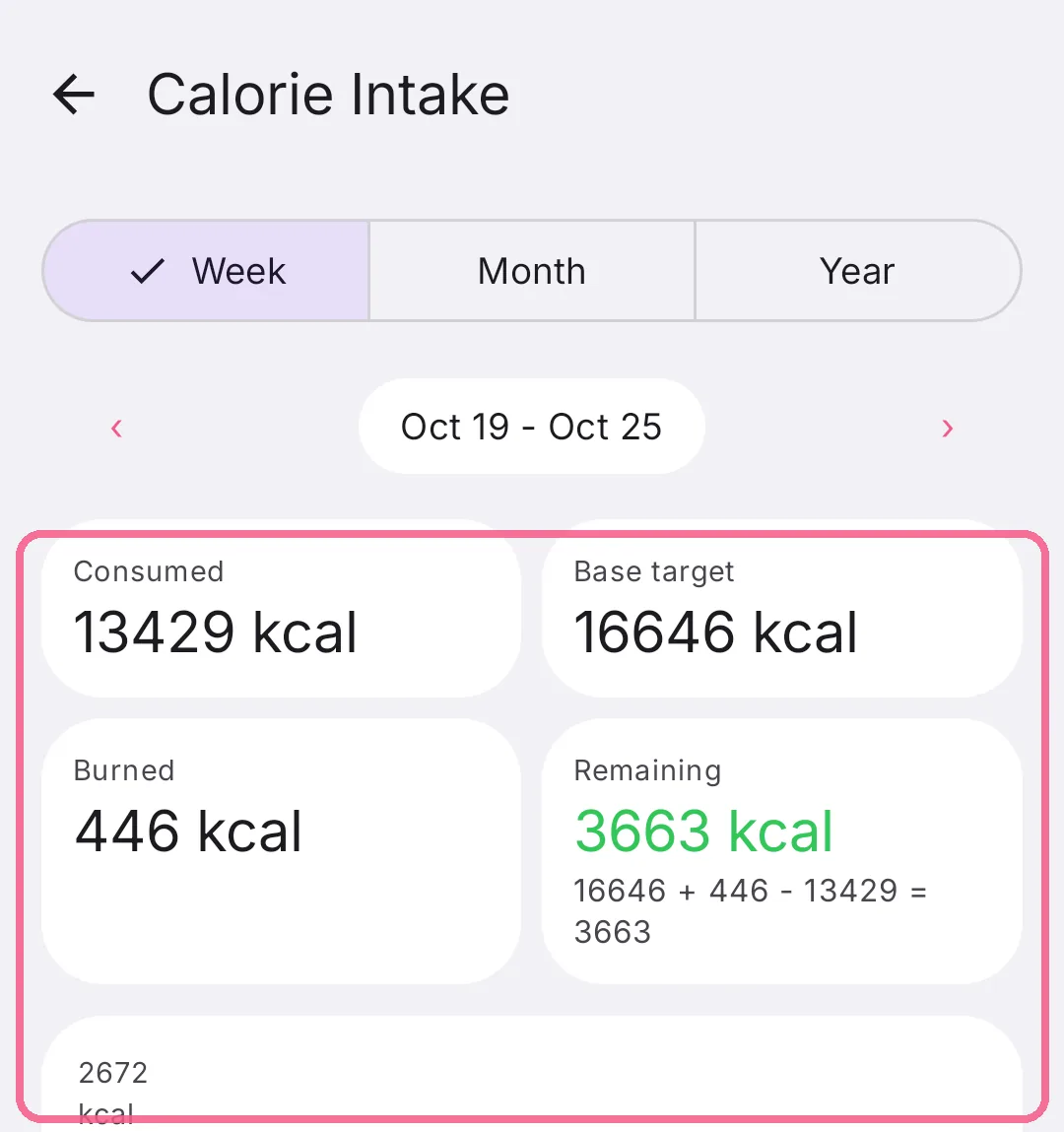
-
Below the chart, your daily average and your average target are side by side, with the difference.
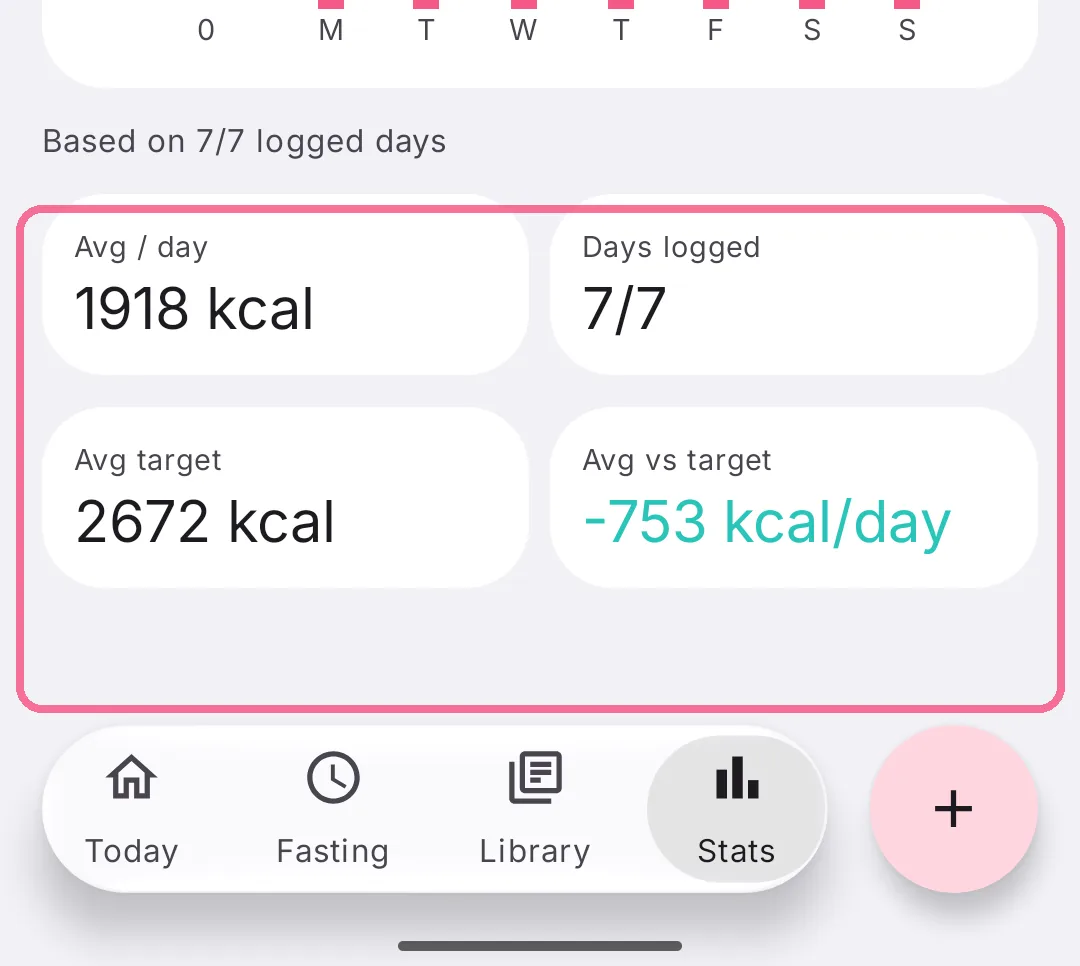
The averages only count days you logged something, shown under days logged. A day you forgot does not drag your average down.
Your average target includes the activity calories added to your target. If only part of the calories you burned counts toward your target, the burned tile shows how much of it was counted.