
Workouts counted once
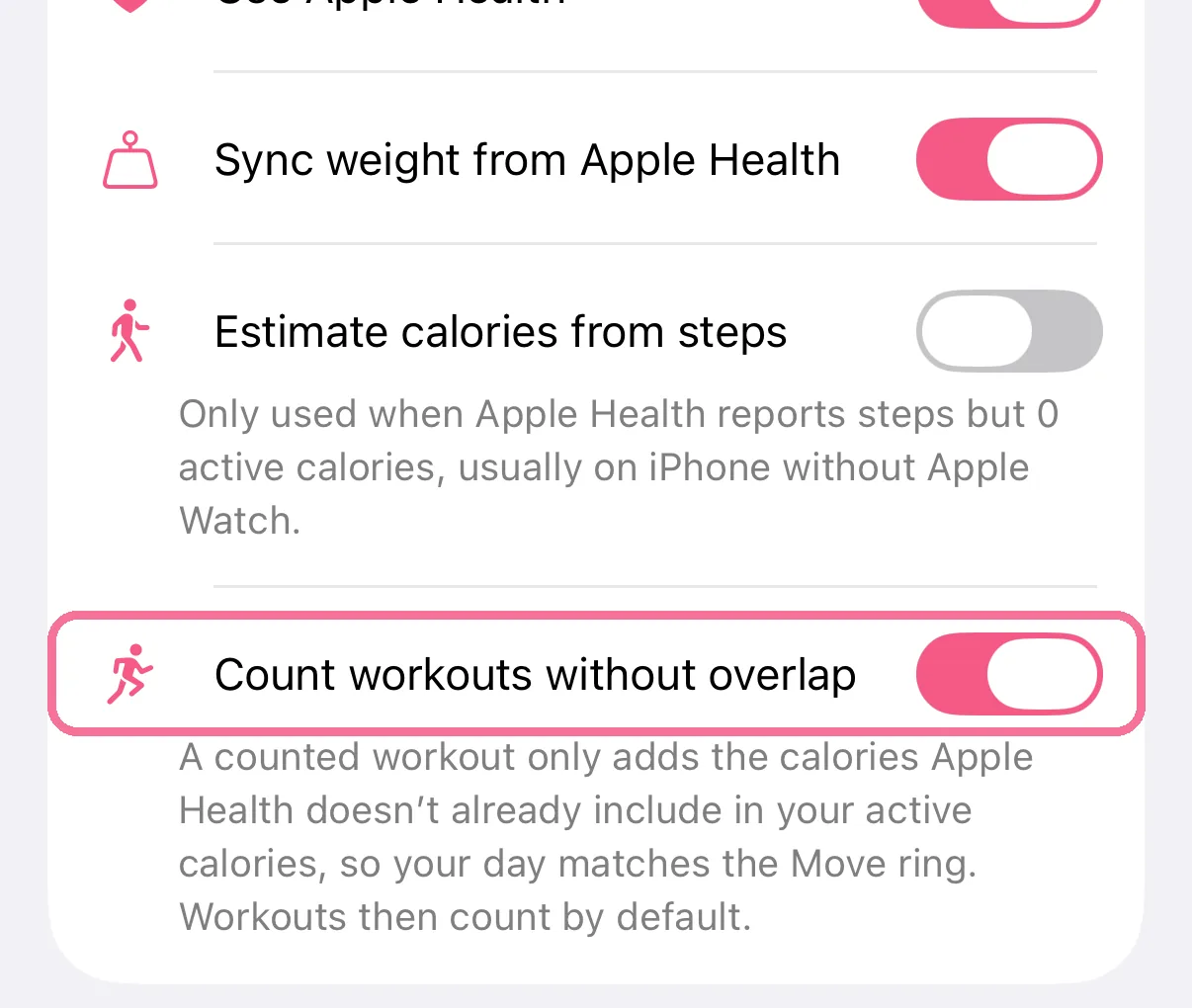
Apple Health usually counts workout calories as active calories already. With “Count workouts without overlap”, a workout only adds what is still missing, so your day matches the Move ring.
-
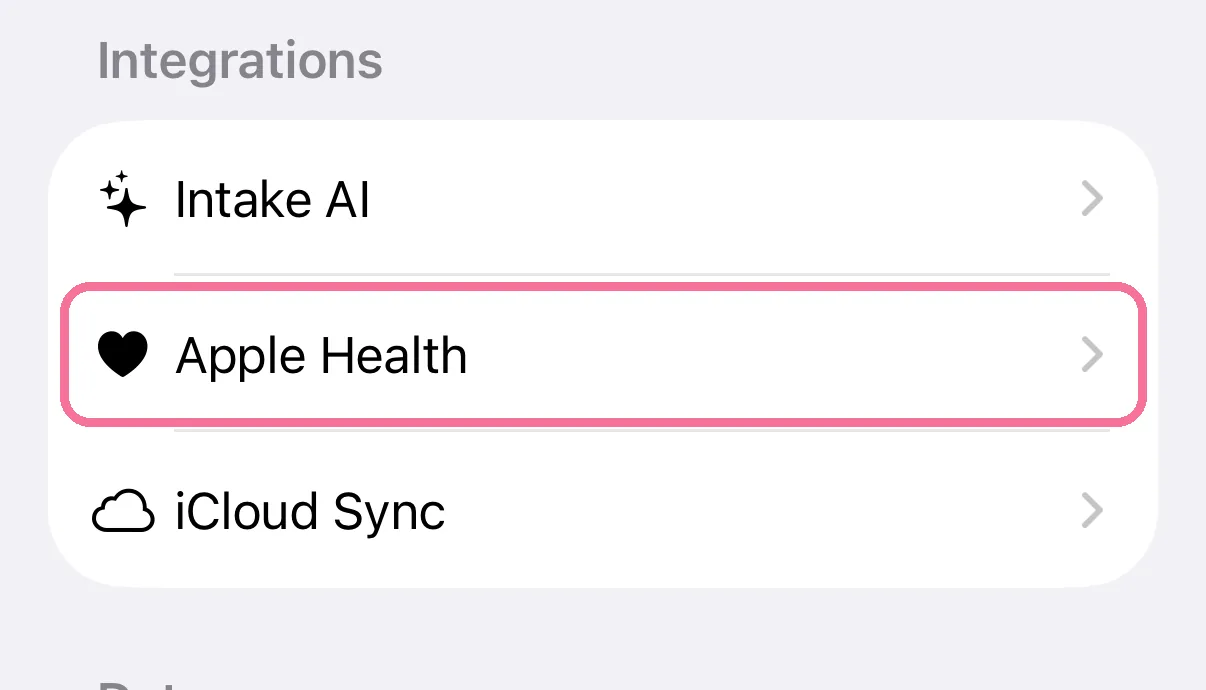
On Today, tap the gear at the top, then “Apple Health”.
-
Turn on “Count workouts without overlap”.
-
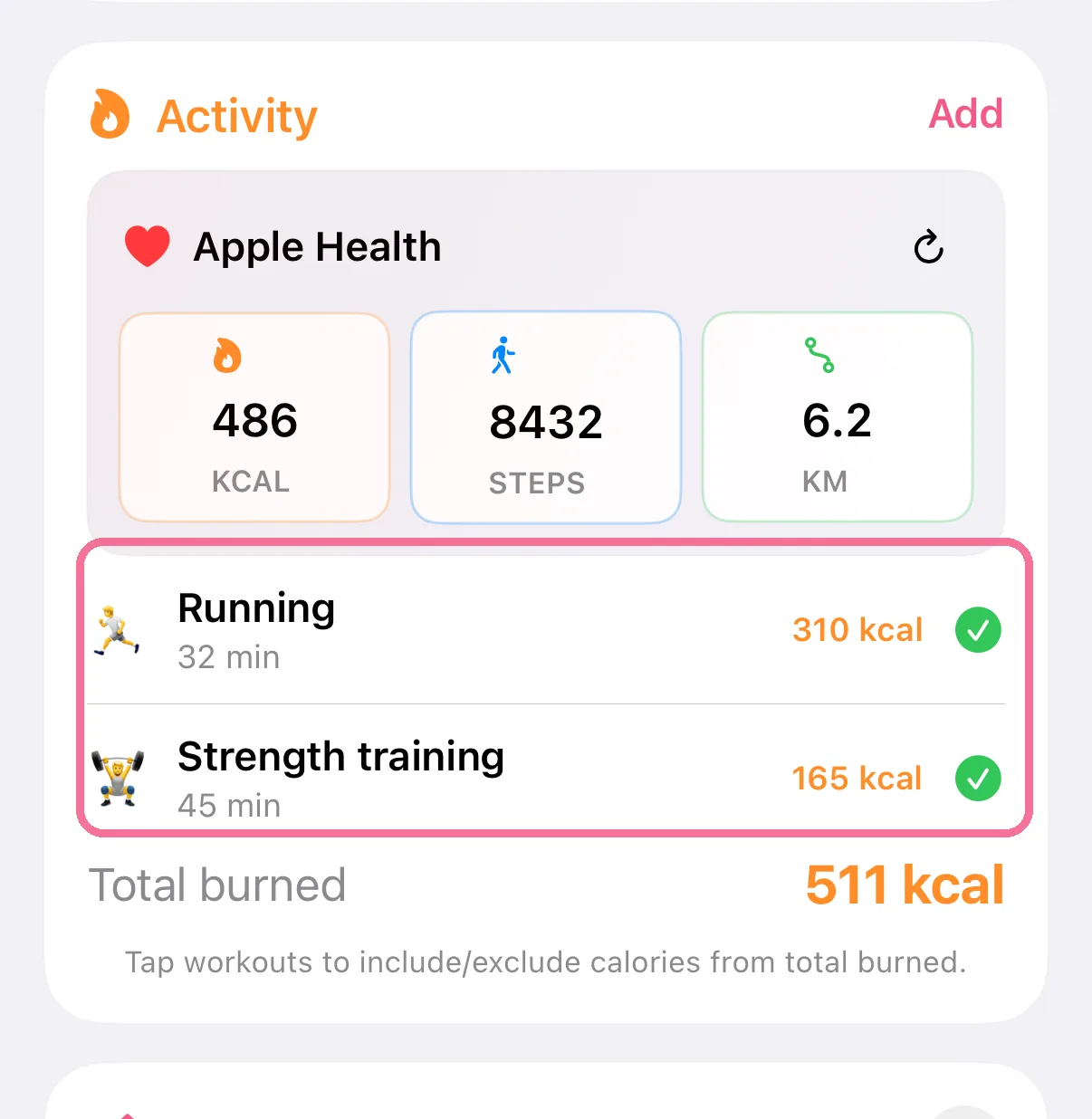
Workouts then count by default; tap one on the “Activity” card to leave it out.
-
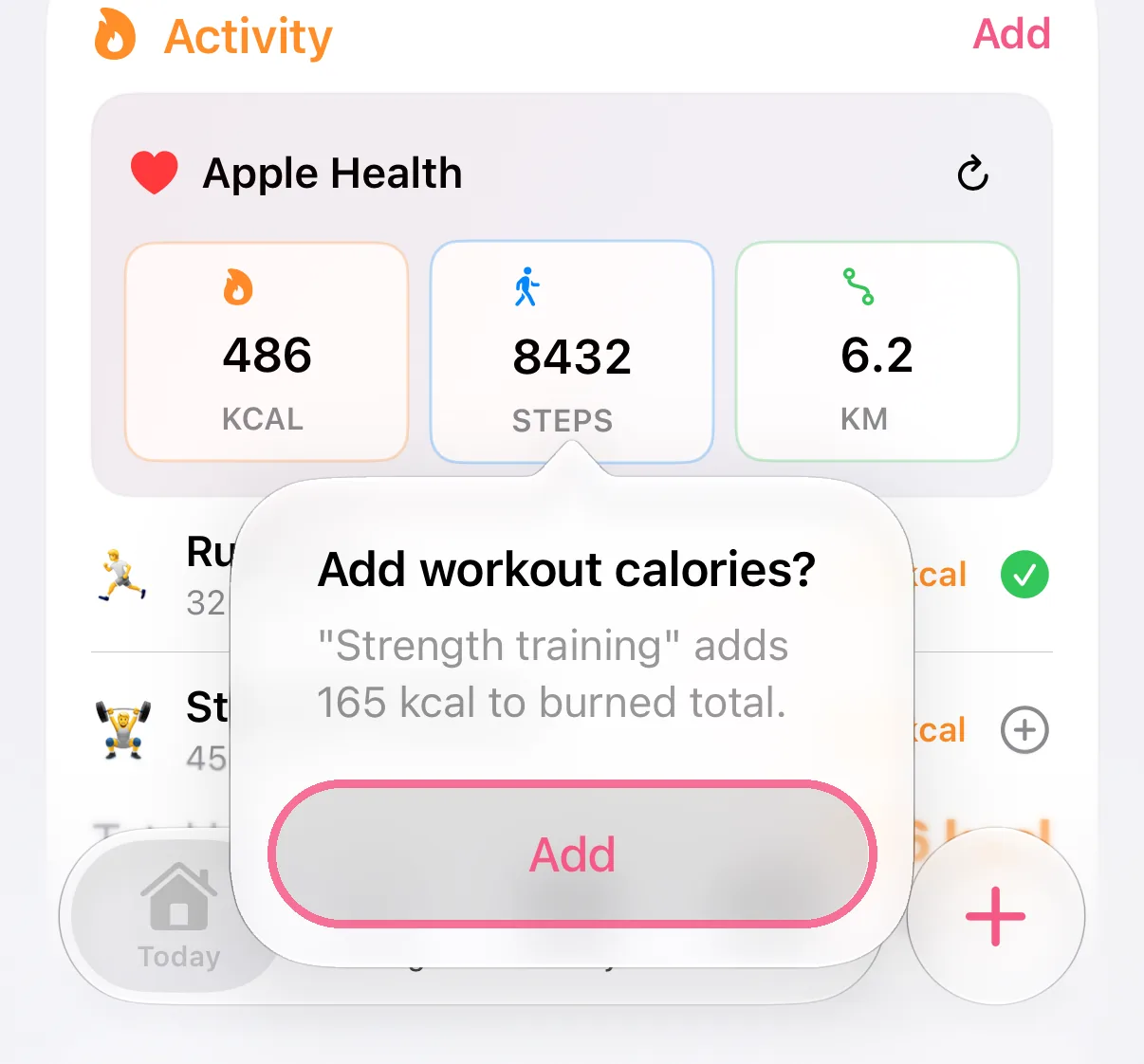
To bring back a workout that doesn’t count, tap it and choose “Add”.
Without this setting, a workout usually only counts once you tap it, and then with all of its calories. That can count them twice when Apple Health already has the same calories as active calories.