
Health Connect estimates
Fitness apps write different data to Health Connect. When measured active calories are missing, Intake estimates them from total calories or steps and labels the value as an estimate.
-
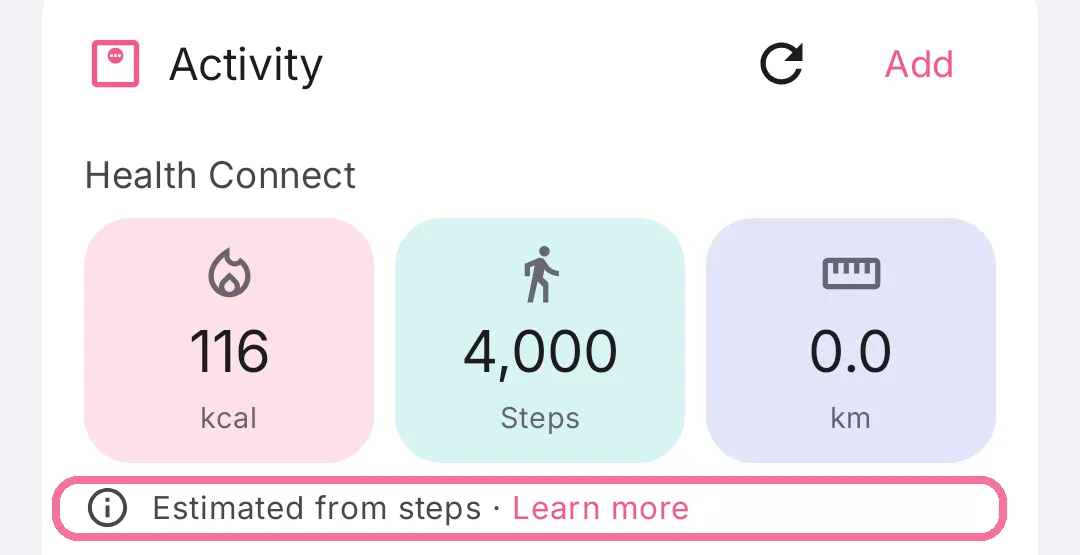
If the “Activity” card on Today says “Estimated from steps” or “Estimated from total calories”, tap “Learn more” next to it.
-
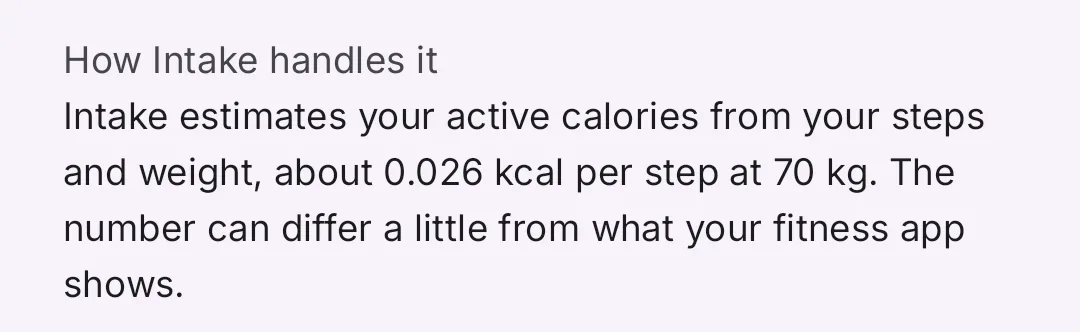
“How Intake handles it” tells you what Intake calculated the calories from on that day.
What Intake estimates from
Section titled “What Intake estimates from”- Estimated from steps: Health Connect has steps for the day but no calories. Intake counts about 0.026 kcal per step at 70 kg and adjusts that to your weight.
- Estimated from total calories: your app only shares the total calories burned. Intake subtracts your basal metabolic rate, and the rest counts as activity.
- Resting calories calculated by Intake: as above, but Health Connect has no basal metabolic rate. Intake calculates it from your body data.
- Workouts plus estimate from steps: your app shares calories only for workouts. Intake counts the workouts and estimates the rest of the day from your steps.
- “No calories from …”: your app shares workouts, but neither calories nor steps. Intake then counts 0 kcal of activity; you can log a workout with calories yourself.
If your app shares both active and total calories, Intake uses the larger value. Some apps write active calories only for workouts, and total calories minus your basal rate then show the whole day.
Do you need to do anything?
Section titled “Do you need to do anything?”Usually not. If values are missing, check:
- Your fitness app is listed in Health Connect under “Data and access” > “Activity” > “Data sources and priority”. Apps missing there do not count.
- Your fitness app may write calories to Health Connect. You set that in its Health Connect permissions.
- If several apps write activity, pick the one that counts under Settings > “Health Connect activity” > “Use only this app”.