
Target for one day
On Today, tap “Target” to change the daily target for that day only or for every same weekday, for example plus 300 kcal on Saturdays.
-
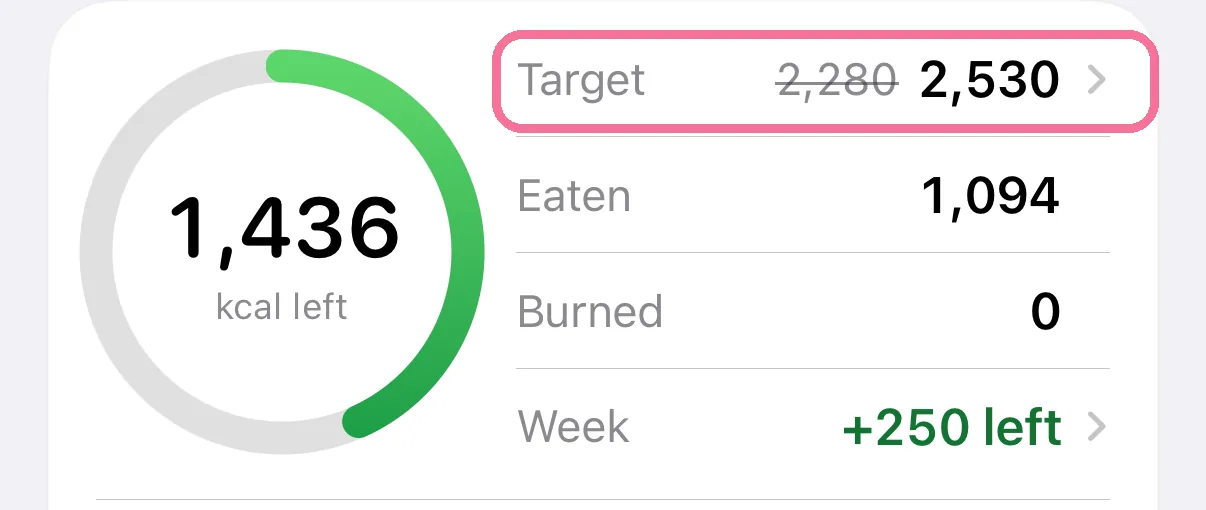
On Today, tap “Target” in the calorie ring card.
-
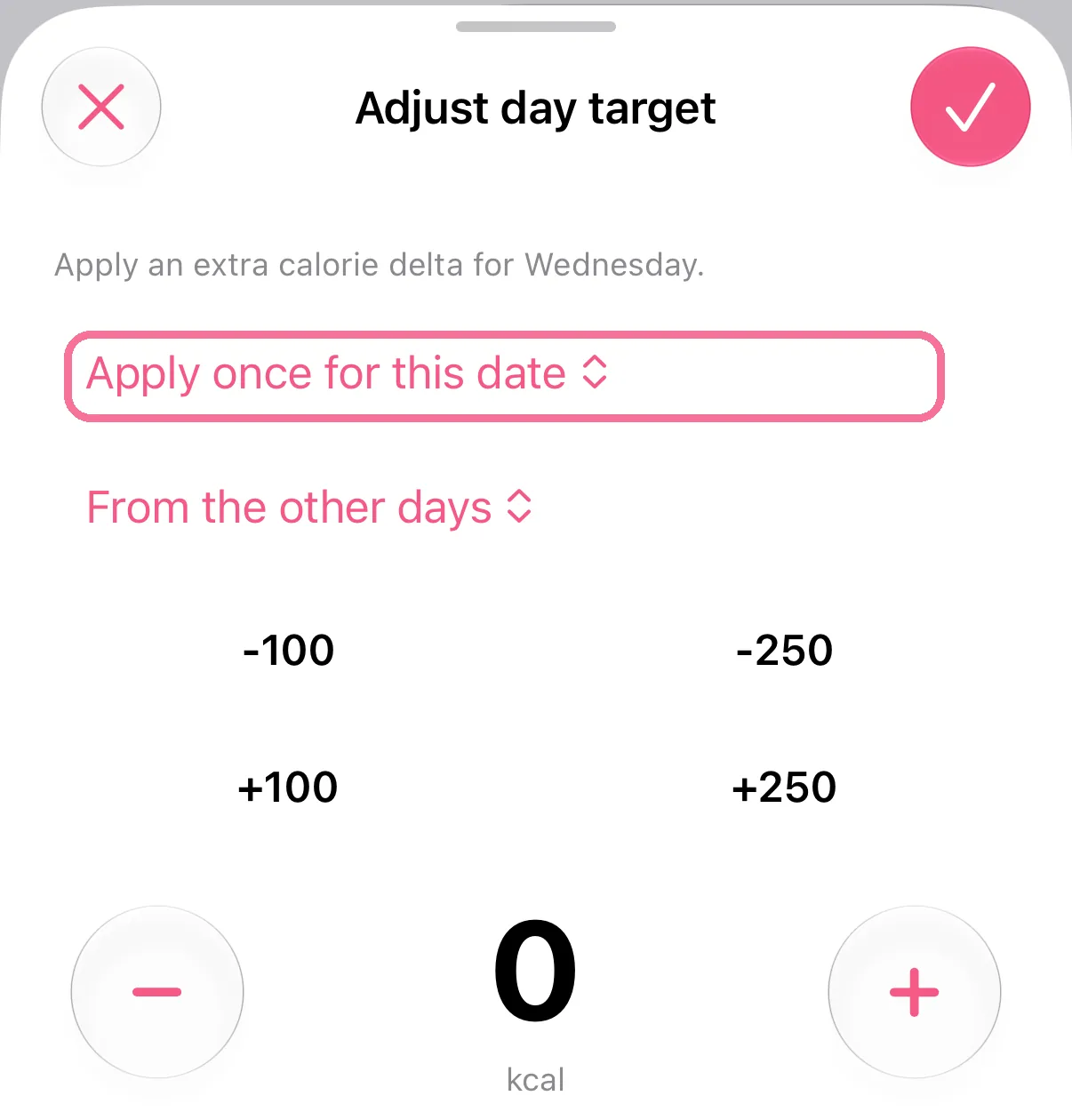
Choose “Apply once for this date” or “Apply every …” with the weekday.
-
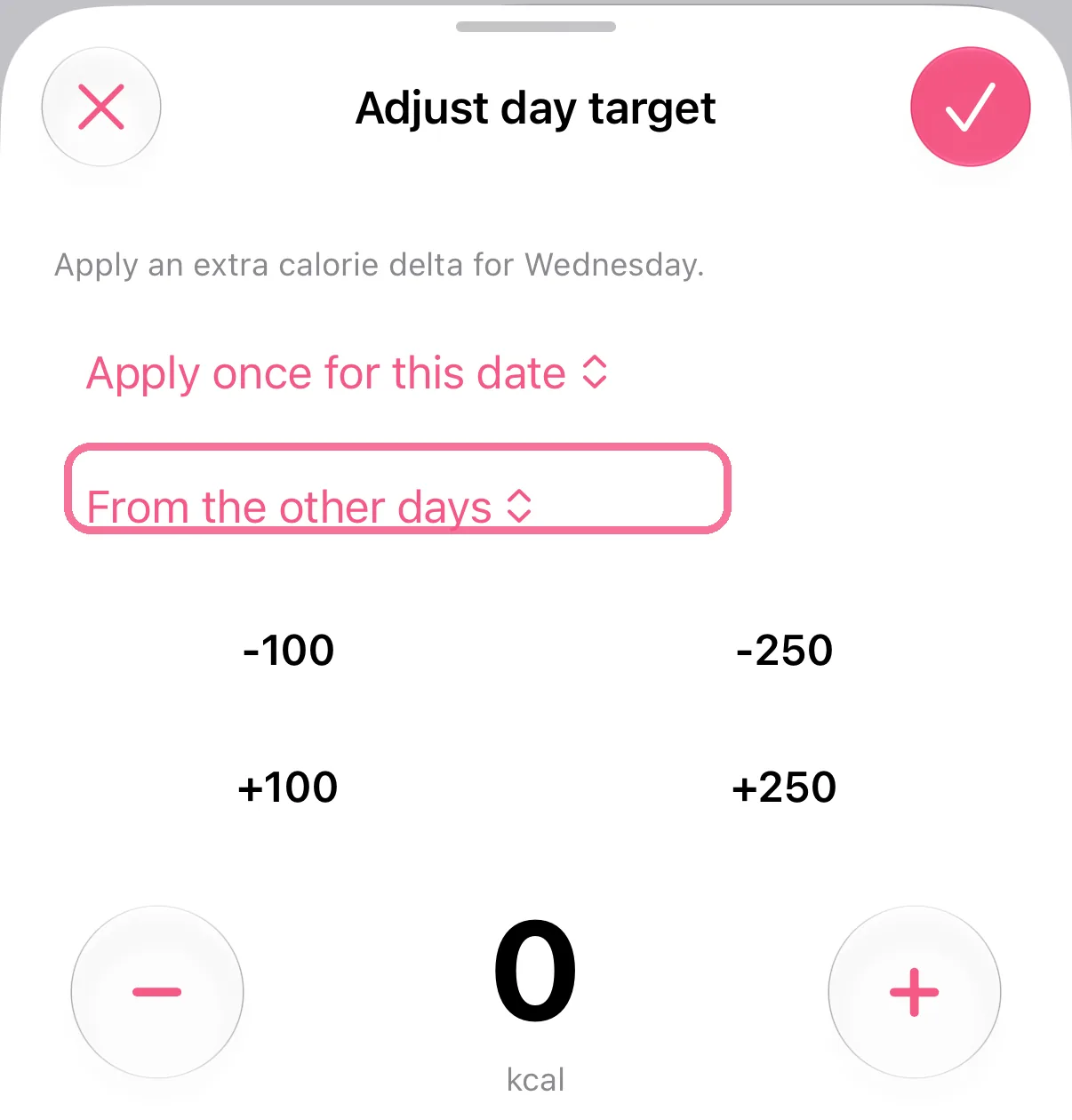
With the weekly budget on, choose where the calories come from: “On top”, “From the other days” or “From the weekly balance”.
-
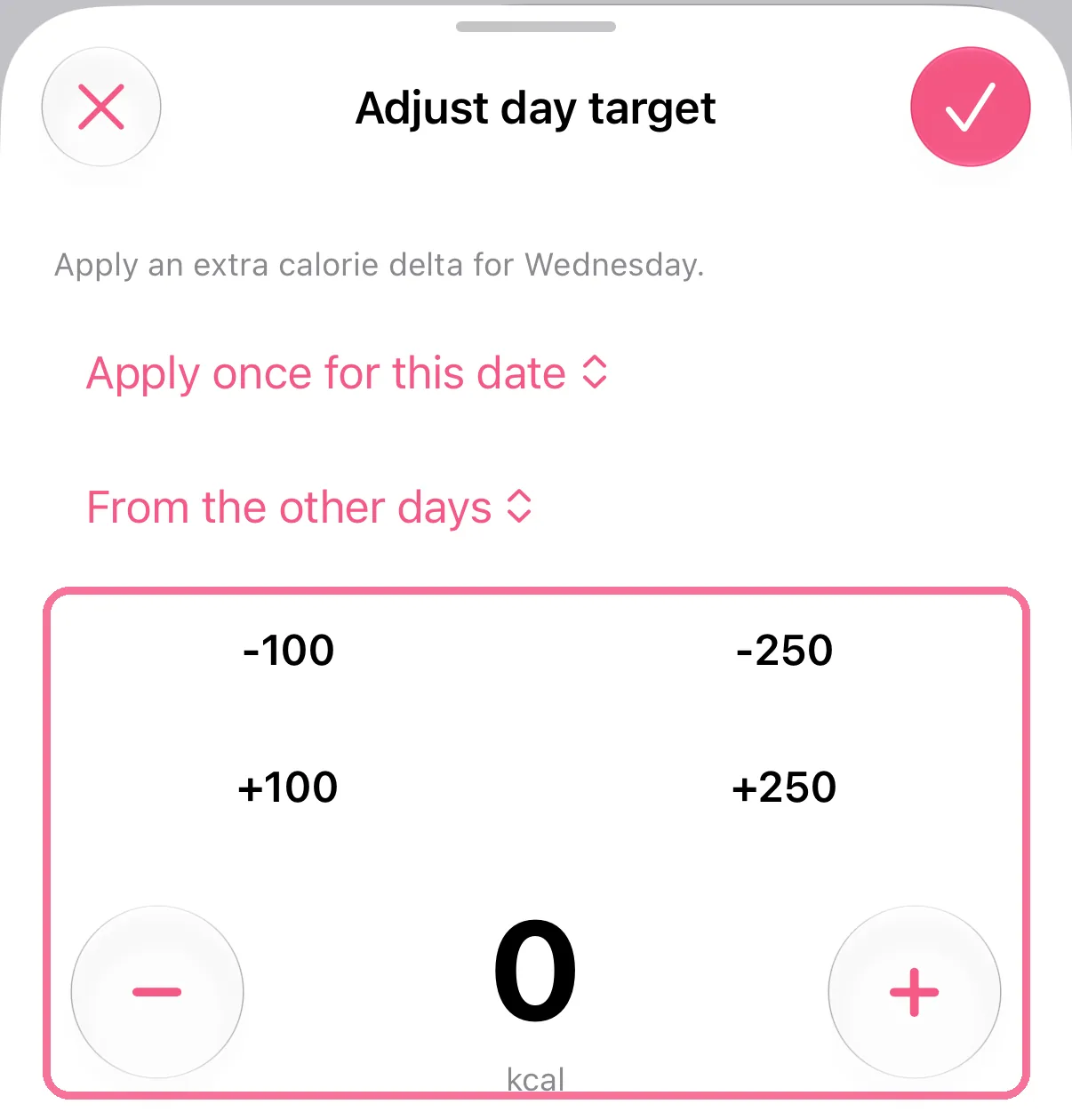
Set the amount with the buttons and tap the checkmark at the top right.
-
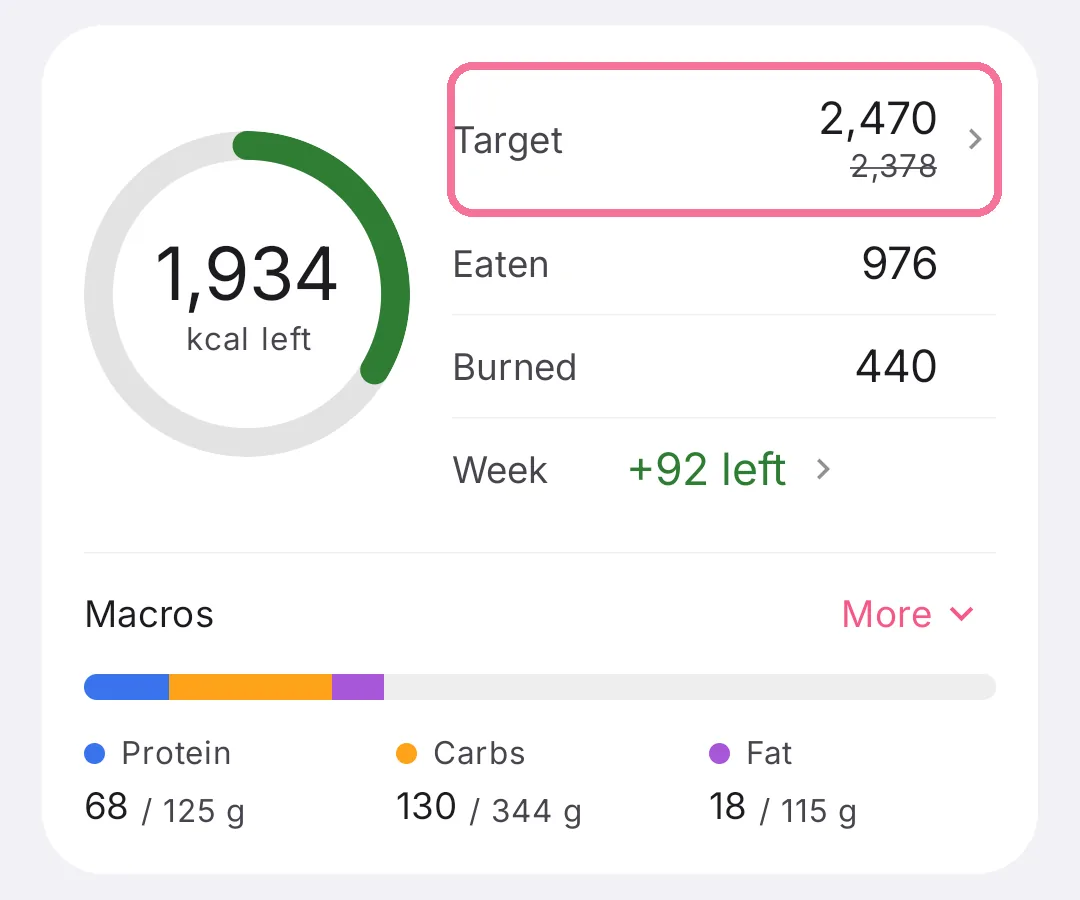
On Today, tap “Target” in the calorie ring card.
-
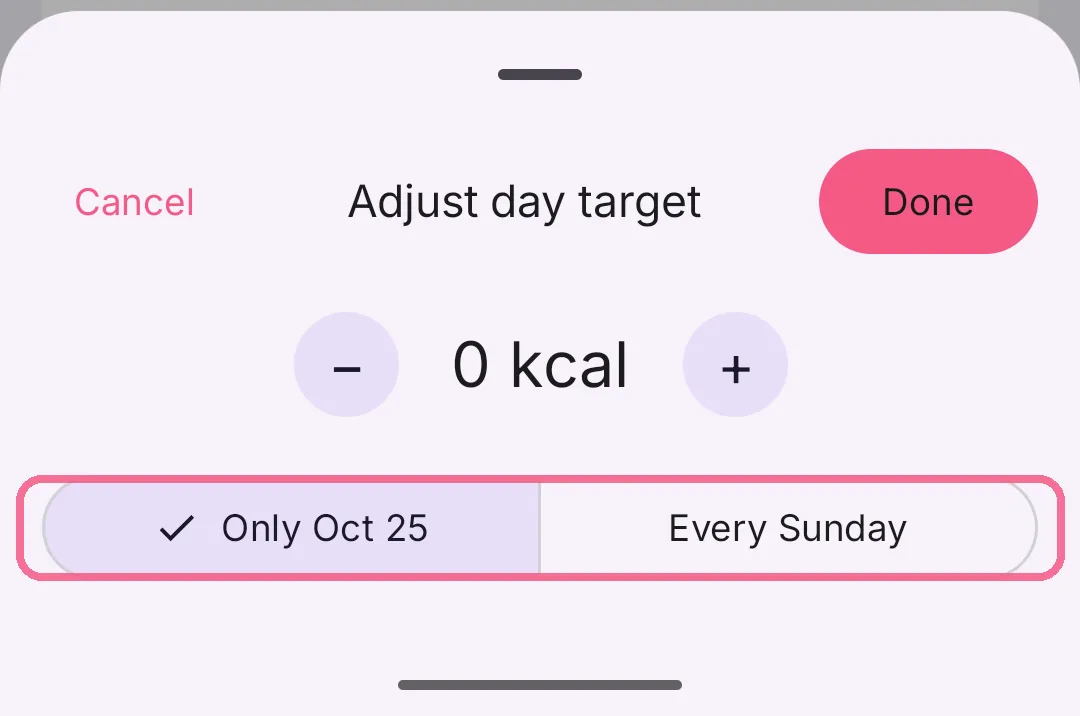
Choose “Only …” with the date or “Every …” with the weekday.
-
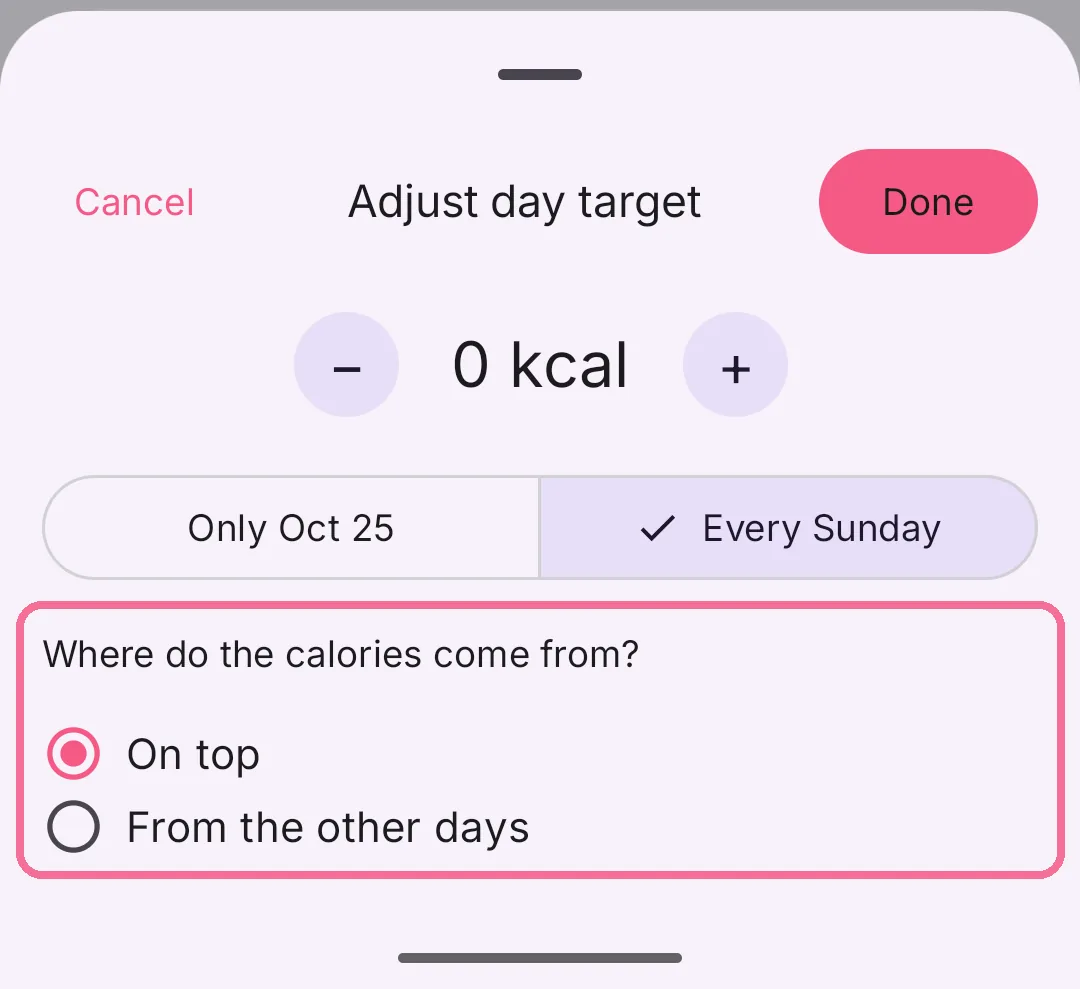
With the weekly budget on, choose under “Where do the calories come from?”: “On top”, “From the other days” or “From the weekly balance”.
-
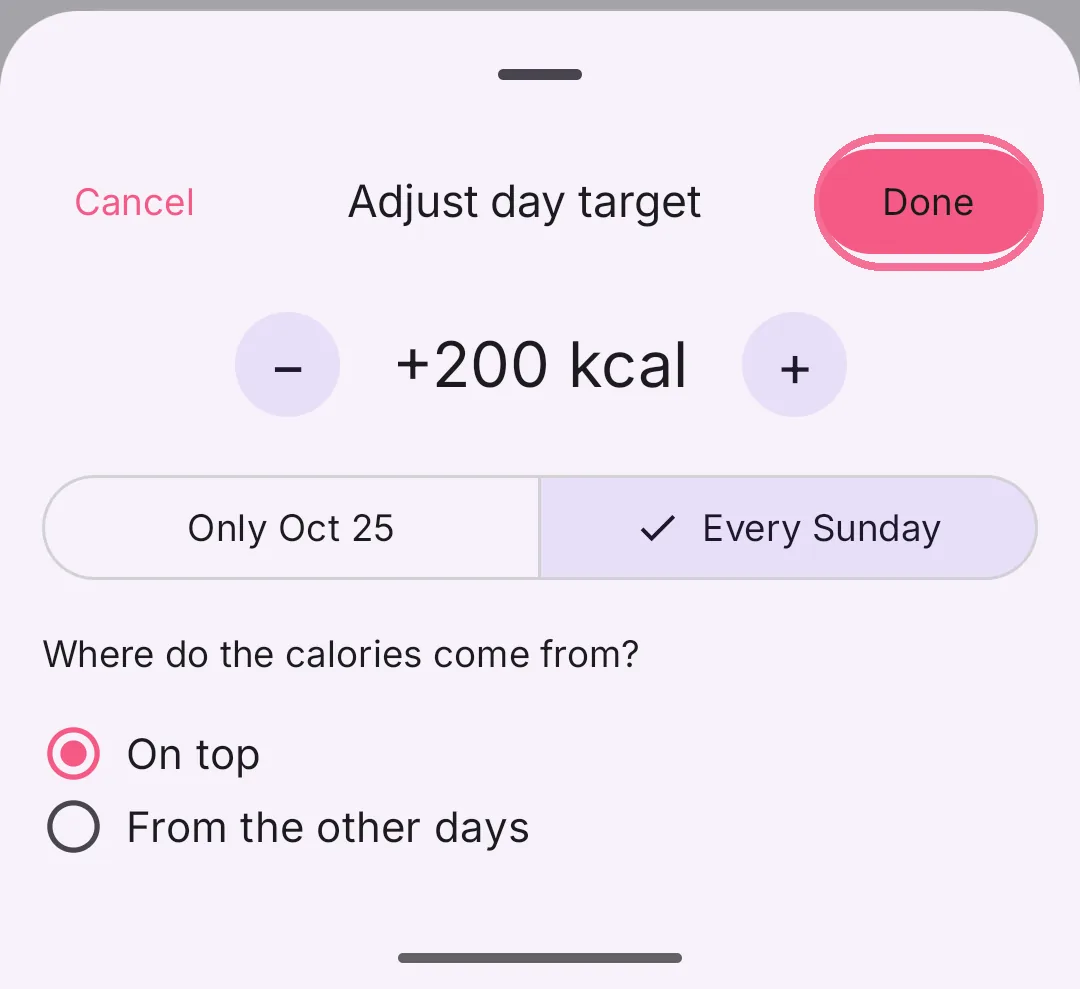
Set the amount with minus and plus and tap “Done” at the top right.
On iPhone, “Reset” removes the change. With the weekly budget on, no day drops below your basal metabolic rate, and never below 1,200 kcal.