
Macro goals
Under Settings > “Macro goals” you set your protein target in grams per kilo of body weight and choose how the remaining calories are split between carbs and fat.
-
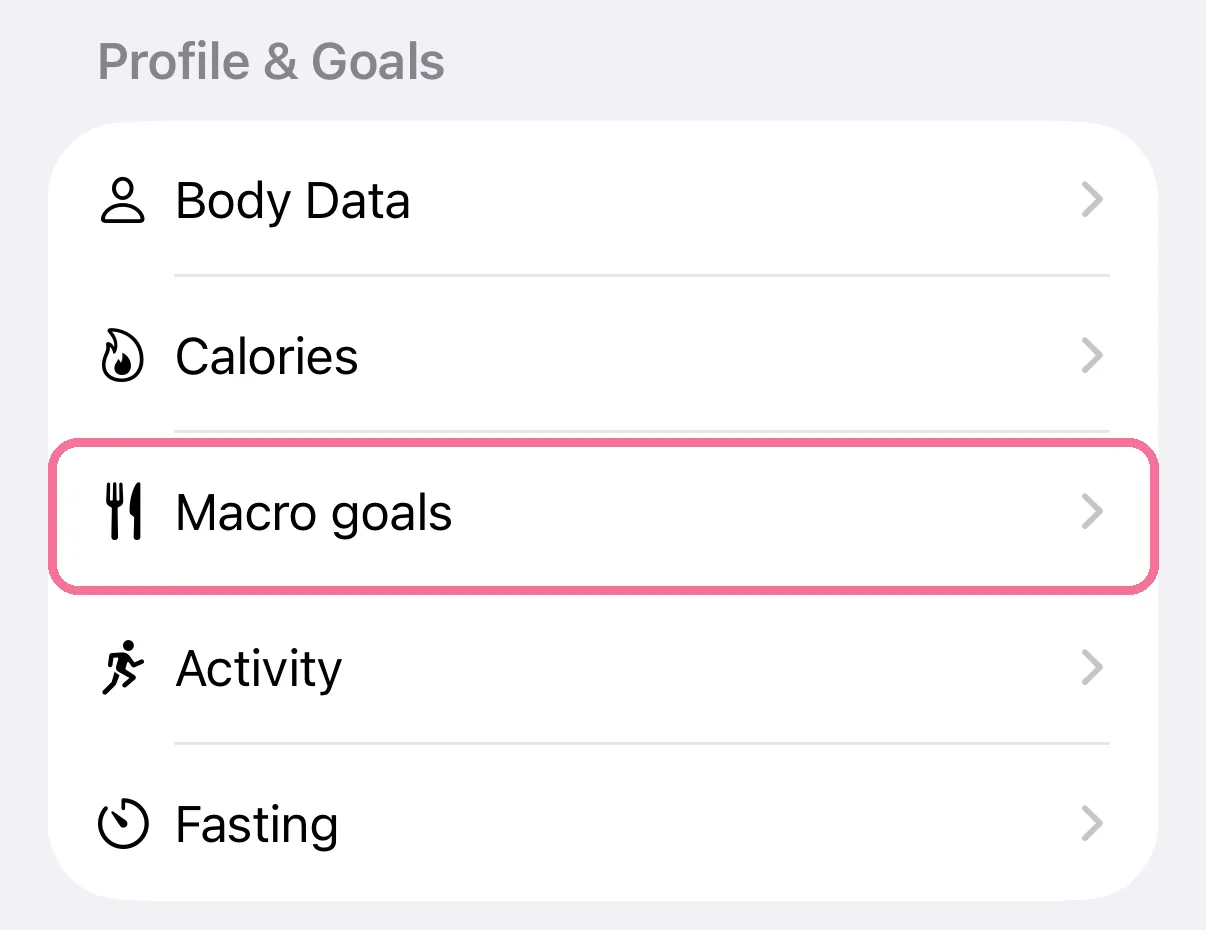
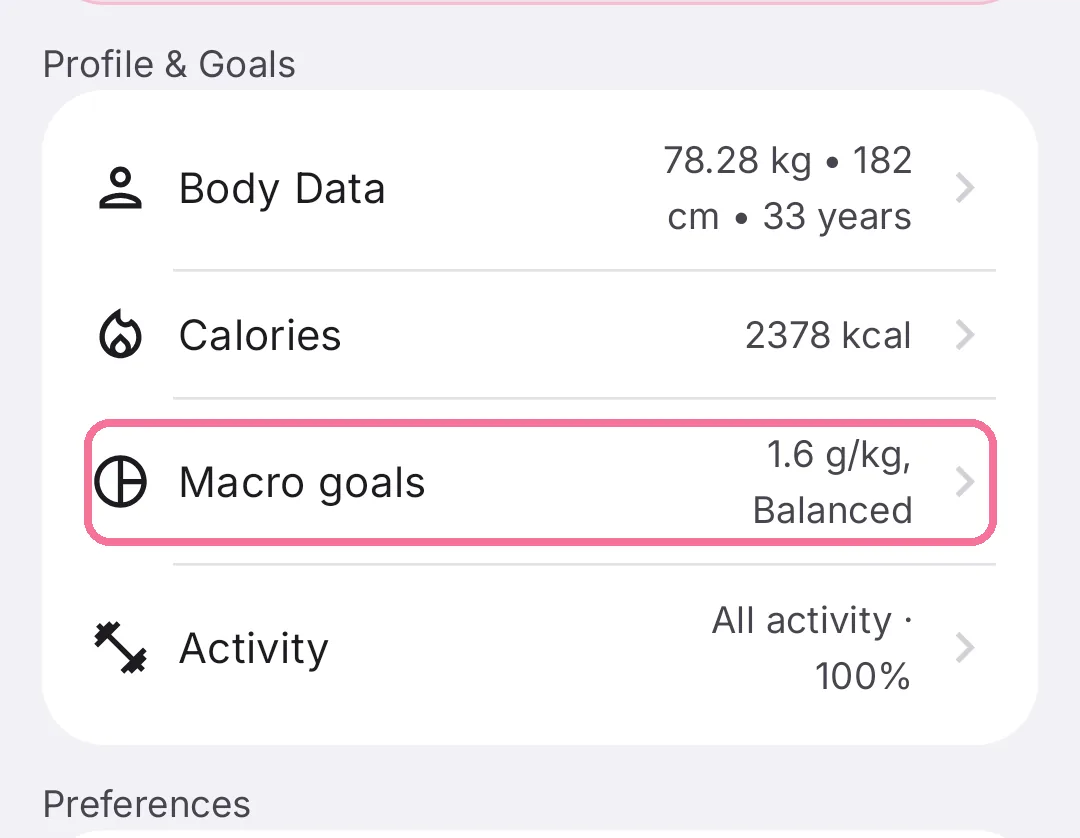
On Today, tap the gear at the top, then “Macro goals” under “Profile & Goals”.
-
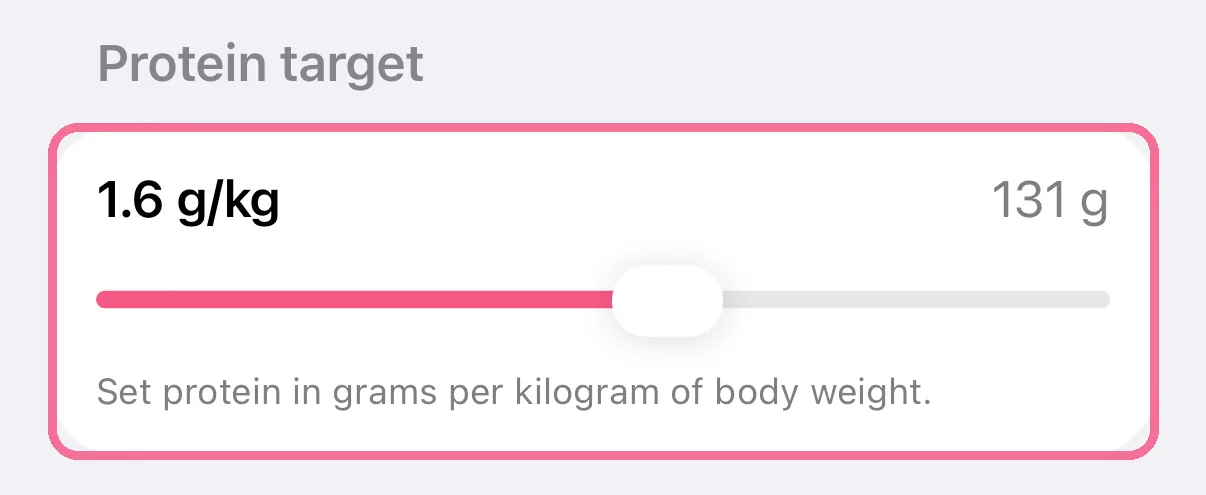
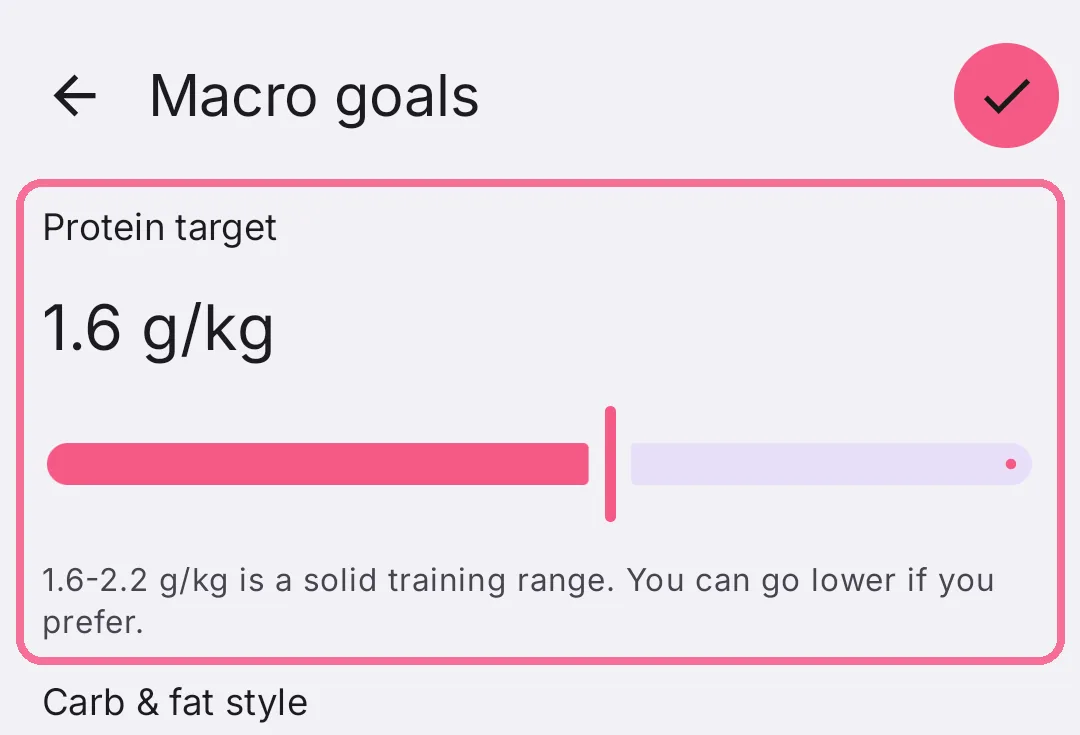
Under “Protein target”, use the slider to set how many grams of protein per kilo you want.
-
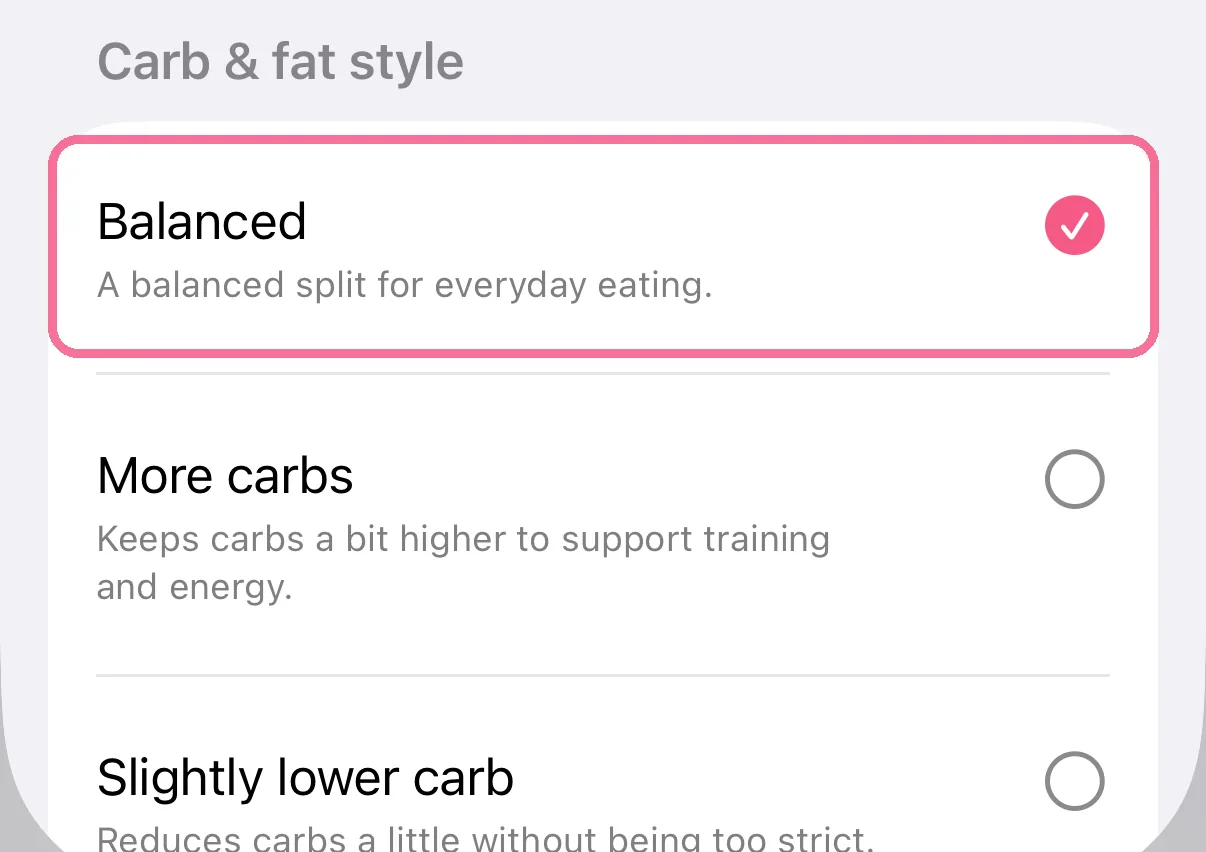
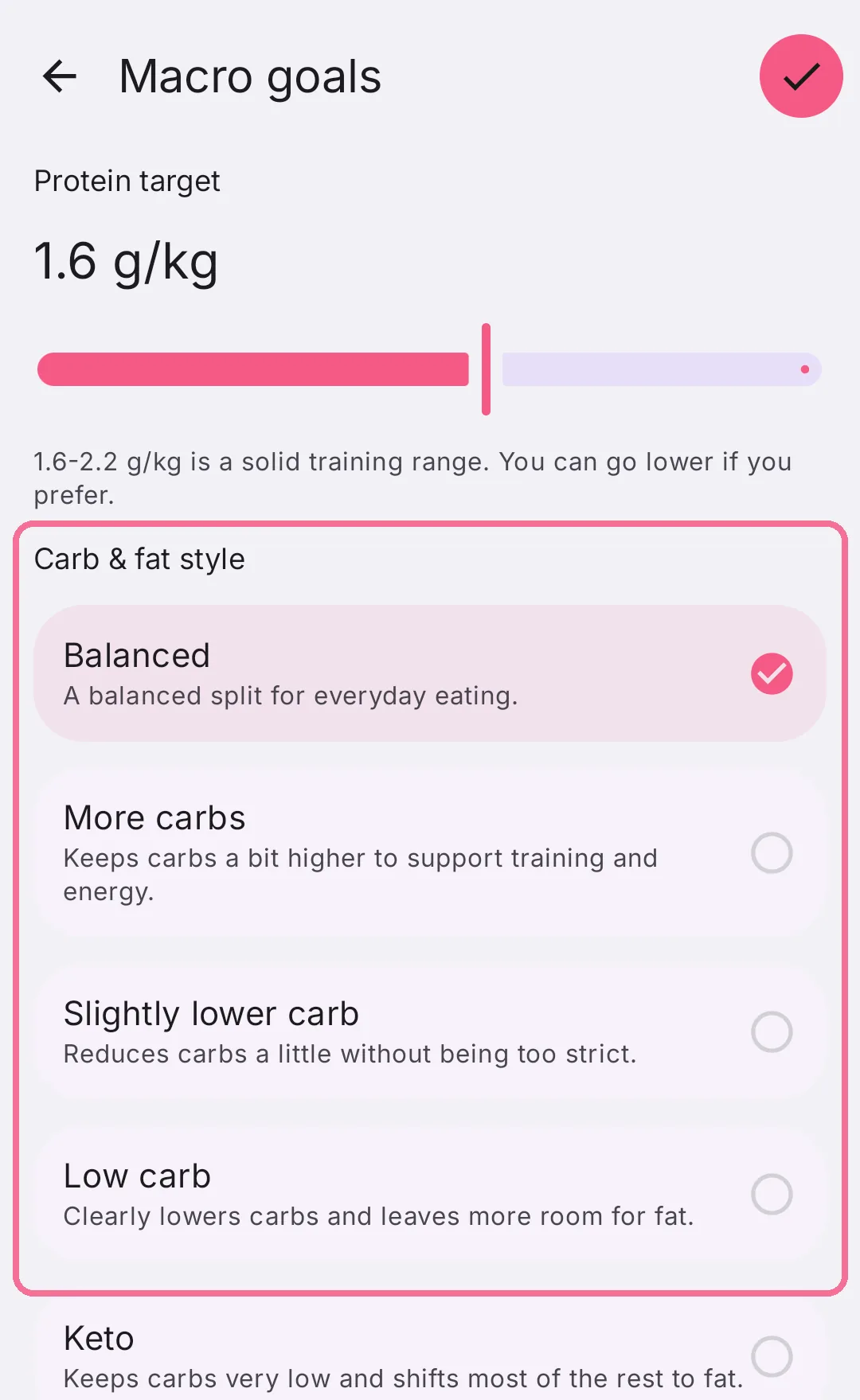
Under “Carb & fat style”, pick a split, for example “Balanced” or “Low carb”.
-
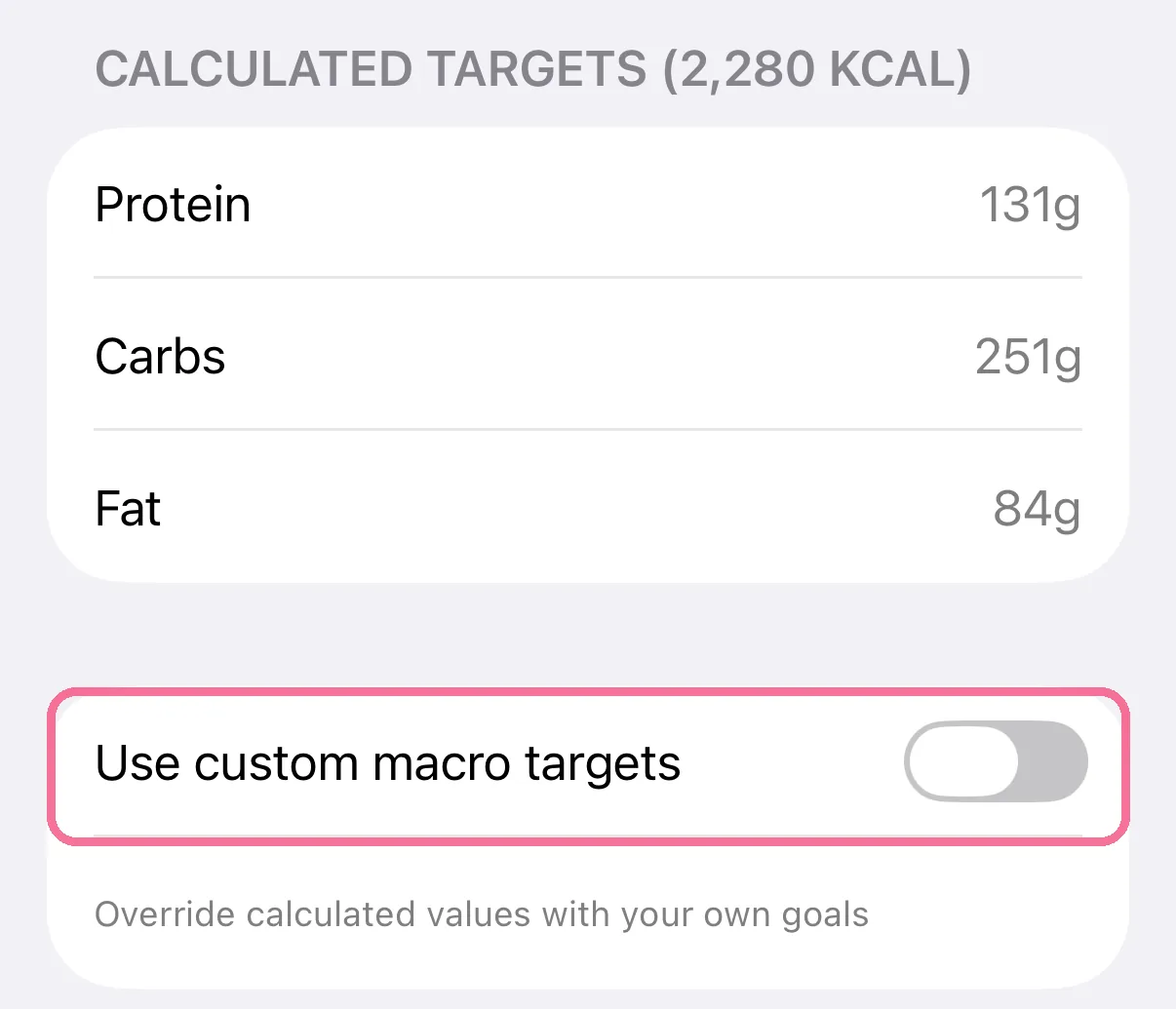
“Calculated targets” shows the grams. “Use custom macro targets” lets you enter your own instead.
-
On Today, tap the gear at the top, then “Macro goals” under “Profile & Goals”.
-
Under “Protein target”, use the slider to set how many grams of protein per kilo you want.
-
Under “Carb & fat style”, pick a split, for example “Balanced” or “Low carb”.
-
“Calculated targets” shows the grams. “Use custom macro targets” lets you enter your own. Then tap the checkmark at the top right.
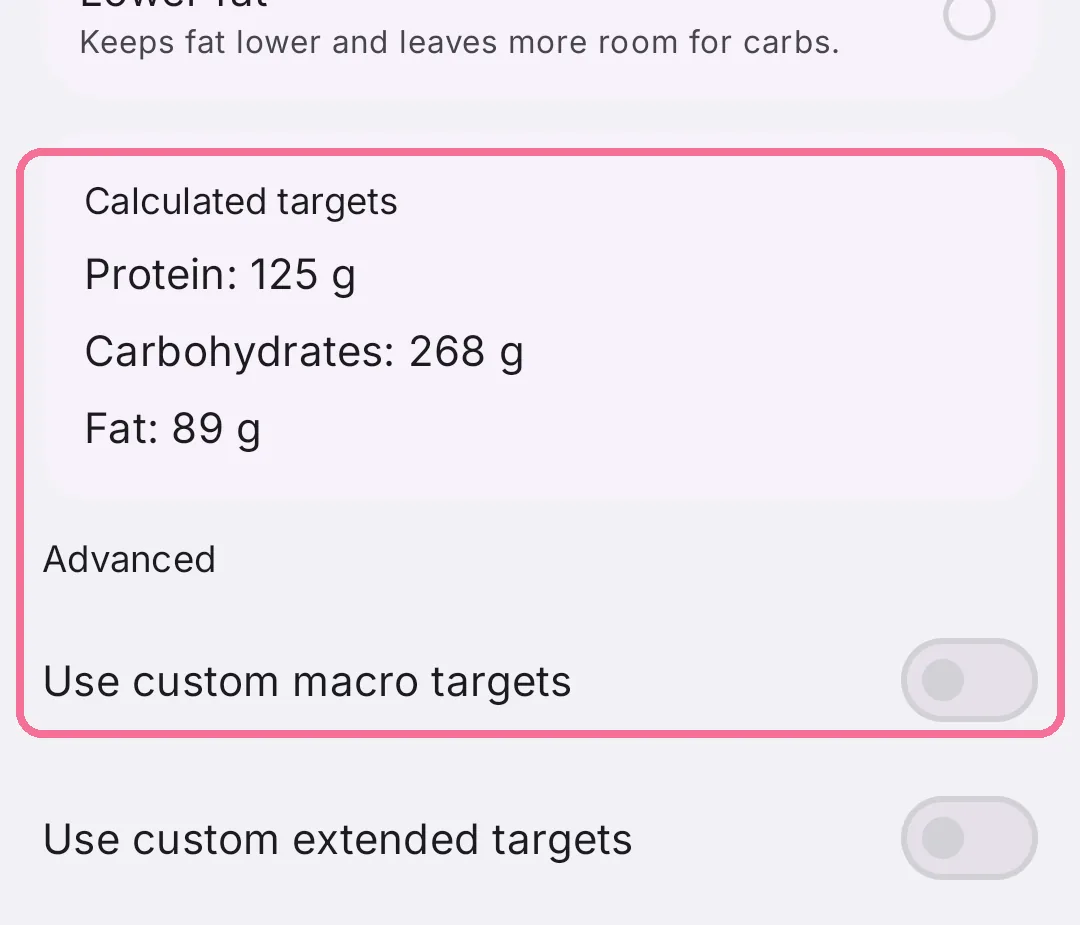
The calculated grams follow your daily target and change with it.